

WordPress Speed Analyzer Kaddora 🎀
User Documentation:📜
WordPress Speed Analyzer helps you analyze website performance, monitor Core Web Vitals, detect heavy plugins, and optimize your site with actionable insights. Includes performance reports, history tracking, and export options.
📑 Table of Contents
1. Introduction 🎗️
WordPress Speed Analyzer Kaddora is a lightweight and powerful performance optimization plugin designed to help website owners monitor, analyze, and improve their site speed with ease. Built specifically for WordPress, the plugin provides real-time insights into key performance metrics such as page load time, Core Web Vitals, and overall performance score.
With an intuitive and user-friendly interface, WordPress Speed Analyzer Kaddora allows users to perform instant speed audits without requiring any technical expertise. It identifies performance issues and delivers actionable suggestions to enhance website speed, user experience, and search engine rankings.
The plugin is designed to be efficient and non-intrusive, ensuring it does not affect website performance while running scans. Whether you are a beginner or an experienced developer, WordPress Speed Analyzer Kaddora helps you maintain a fast, optimized, and high-performing website.
2. Requirements & Compatibility 📌
Minimum Requirements:
- WordPress version 5.8 or higher
- PHP version 7.4 or higher
- MySQL version 5.6 or higher
- Active internet connection (for API-based speed analysis)
Recommended Environment:
PHP 8.0 or higher
MySQL 5.7+ or MariaDB equivalent
HTTPS-enabled website
Latest version of WordPress
Compatibility:
The plugin works smoothly with:
Works with most modern WordPress themes
Compatible with popular plugins
No conflict with caching plugins (recommended to use alongside)
Supports both single site and multisite environments
3. Plugin Installation 🦚
Method — Upload ZIP
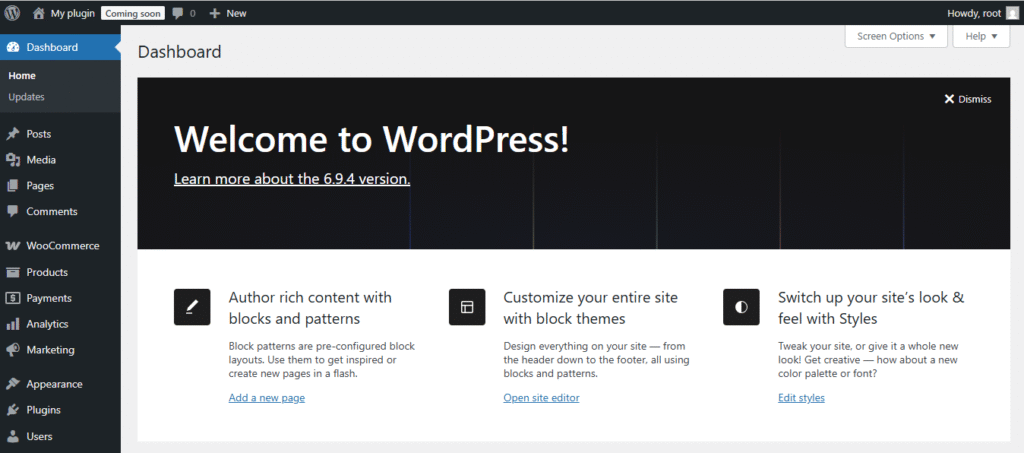
- Go to the WordPress Dashboard –
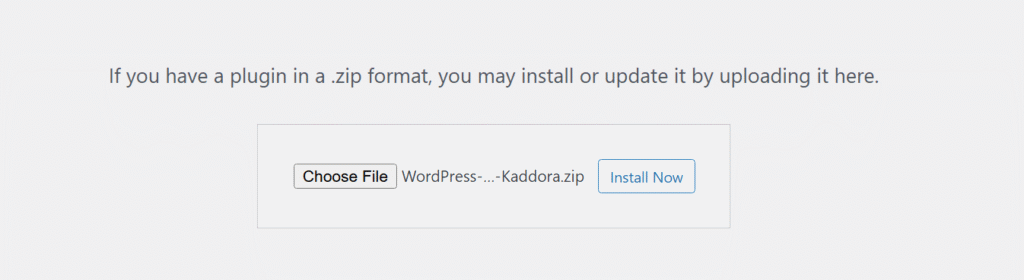
- Upload Plugin > Choose the WordPress-Speed-Analyzer-Kaddora.zip plugin file and click Install Now.
- After successfully Installation & Activation of plugin, you will see ‘WordPress Speed Analyzer Kaddora’ in your installed plugin section, here you can check version and description about the plugin

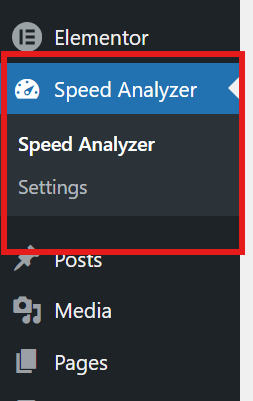
- In WordPress dashboard, you can see ‘WordPress-Speed-Analyzer-Kaddora Plugin Settings’ option available, click on it and access the setting part of the Plugin.
4. Admin Dashboard overview 🦚
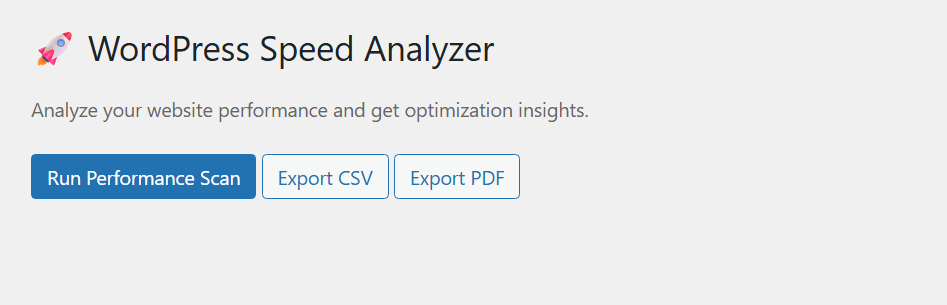
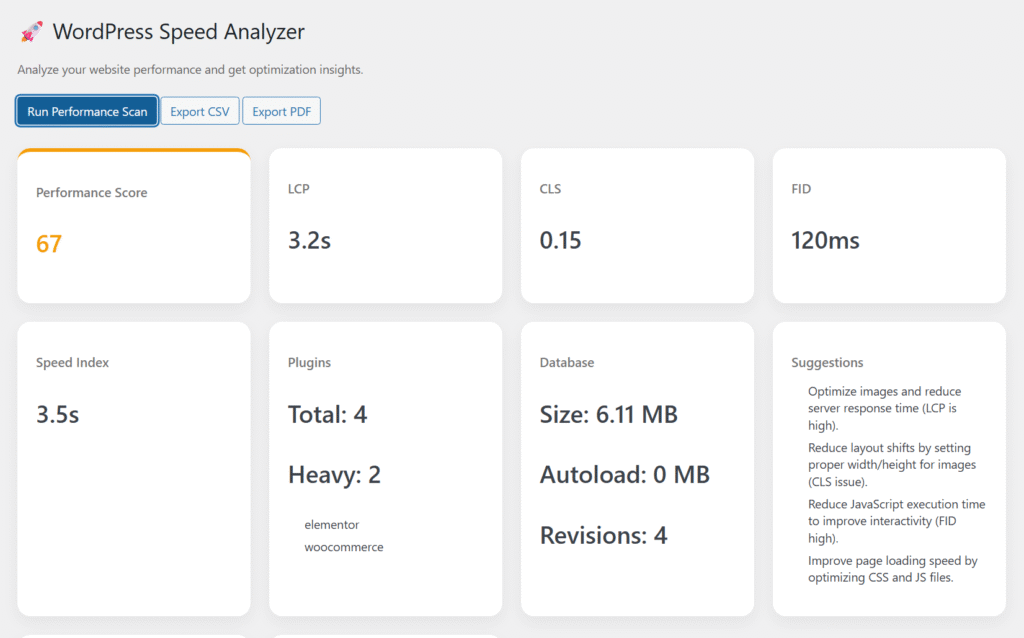
The plugin provides a dedicated admin dashboard where administrators can monitor subscription and membership activities.
Dashboard Benefits:
- Real-Time Performance Insights
- User-Friendly Interface
- Actionable Suggestions
- Centralized Data Overview
- Quick Scan Access
- Historical Tracking (if enabled)
- Lightweight & Fast
- Better Decision Making
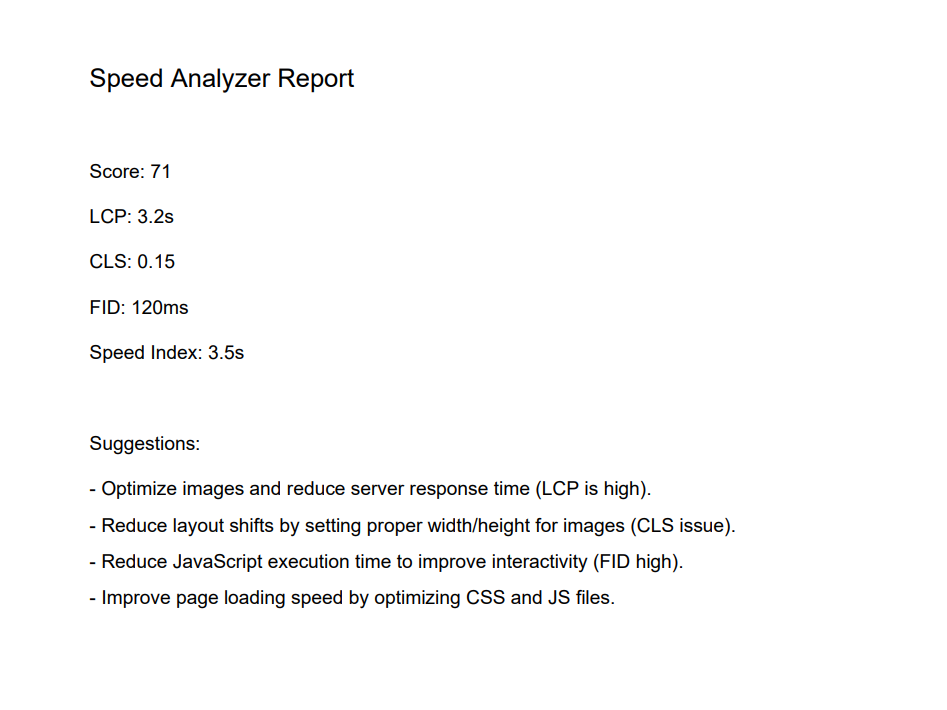
Export PDF
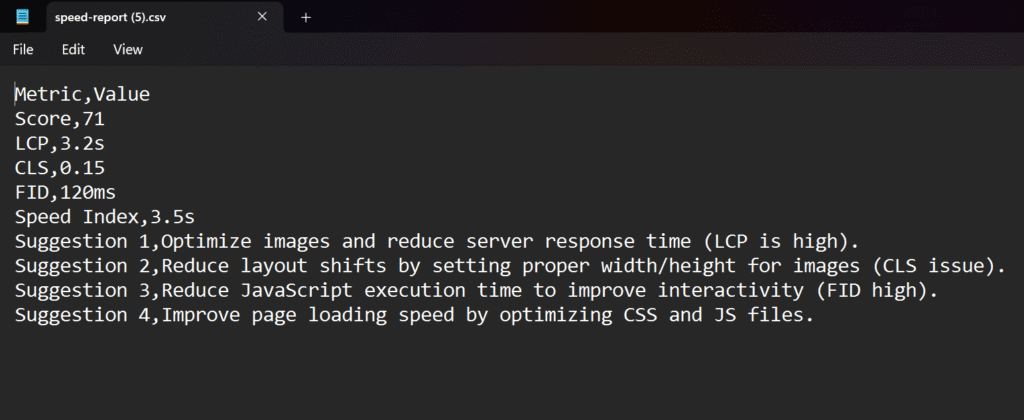
Export CSV
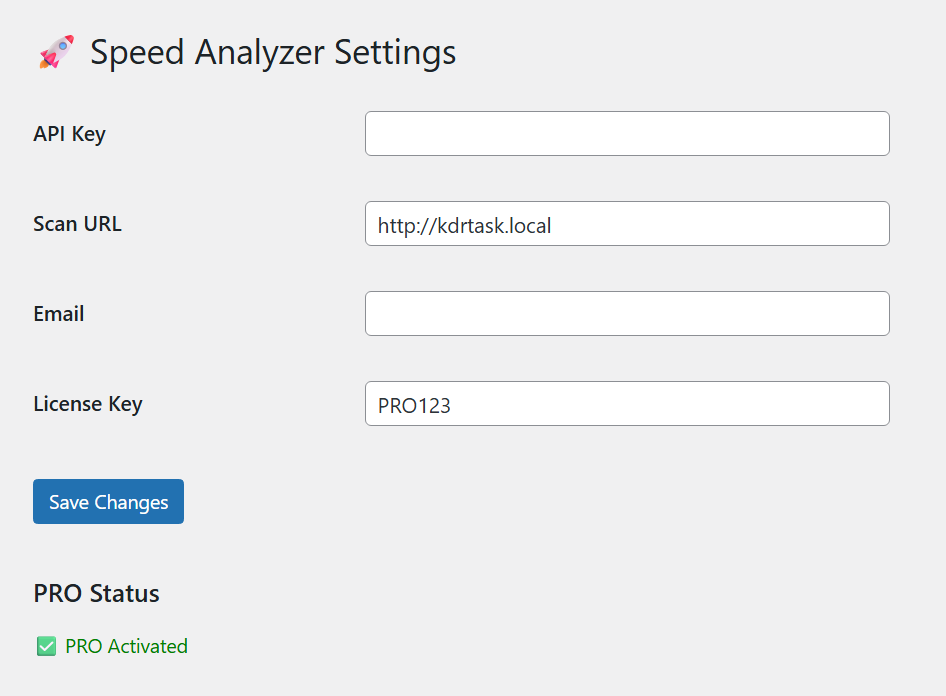
5. Settings (Admin Panel) 🛠️
6. Performance Benefits
The WordPress Speed Analyzer Kaddora plugin is built to help you improve your website’s speed, efficiency, and overall performance. By identifying bottlenecks and providing actionable insights, it ensures your site runs faster and delivers a better user experience.
Key Benefits:
- Faster Page Load Time
- Improved Core Web Vitals
- Optimized Resource Usage
- Better SEO Performance
- Reduced Bounce Rate
- Efficient Caching Recommendations
- Mobile Performance Optimization
- Continuous Performance Monitoring
7. Troubleshooting
Plugin not working after activation
- Ensure WordPress Speed Analyzer Kaddora is properly installed and activated
- Clear your website cache and browser cache
- Disable and re-enable the plugin
- Check for JavaScript errors in browser console
Scan not working
- Make sure your website has an active internet connection
- Verify API key (if used) is valid
- Wait and retry if API limit is reached
- Check REST API is enabled
“Quota Exceeded” error
- API daily limit has been reached
- Wait for quota reset (usually 24 hours)
- Use your own API key for higher limits
No data showing in dashboard
- Refresh the page and run a new scan
- Ensure scan completed successfully
- Disable caching temporarily and test
Cron jobs not running
- Check if WP-Cron is enabled
- Verify scheduled events are created
- Set up real cron job via hosting (recommended)
8. FAQ🛠️
- Does the plugin affect website performance?
No, the plugin is lightweight and designed to run without slowing down your website.
2. How often can I run a speed scan?
You can run scans anytime manually, or use scheduled scans if enabled.
3. Why am I seeing a “Quota Exceeded” error?
This happens when the API request limit is reached. Wait for reset or use your own API key.
4. Can I use this plugin without technical knowledge?
Yes, the plugin is beginner-friendly with a simple and intuitive dashboard.
5. Does it work with all WordPress themes?
Yes, it works with most modern and well-coded WordPress themes.
6. Is it compatible with caching plugins?
Yes, it works smoothly alongside caching and optimization plugins.
9. Support & Updates
Support
If you need help or face any issues while using the plugin:
- Check the documentation and FAQ section for quick solutions
- Review the troubleshooting guide for common issues
- Contact support with detailed information about your problem
- Include error messages or screenshots for faster assistance
Updates
- The plugin is regularly updated to ensure better performance and stability
- New features and improvements are added based on user feedback
- Security updates are released to keep your website safe
- Compatibility updates ensure smooth operation with the latest WordPress versions
Best Practices
- Always keep the plugin updated to the latest version
- Backup your website before updating
- Test updates on a staging site if possible
Thanks for Visiting Kaddora Tech 💖