

Kaddora – Email, SMS & Marketing Automation Plugin for WordPress 🎀
User Documentation:📜
Kaddora – Email, SMS & Marketing Automation for WordPress is a marketing automation plugin designed to help website owners manage contacts, run campaigns, and automate marketing actions directly from the WordPress dashboard. WordPress-native Email + SMS marketing campaigns, contacts, tags, and automation workflows (lean v1).
📑 Table of Contents
1. Introduction 🎗️
The plugin provides a lightweight CRM-style system inside WordPress that allows you to:
- Manage marketing contacts
- Organize contacts using tags
- Create email/SMS campaigns
- Build simple automation workflows
- Trigger marketing actions automatically
Kaddora is built with a modular architecture so it can scale from a simple marketing tool into a full automation platform. Primary capabilities include:
- Contact management
- Tag-based segmentation
- Campaign creation
- Automation workflows
- Email sending (future expansion)
- SMS integration (future expansion)
2. Requirements & Compatibility 📌
- WordPress Requirements:
| WordPress 6.0 or higher |
| PHP 7.4 or higher (recommended PHP 8+) |
| MySQL 5.7+ or MariaDB equivalent |
- Recommended Server Environment
| Memory limit: 256MB+ |
| WP Cron enabled |
| HTTPS enabled for production sites |
- Compatible Plugins
| WooCommerce (future automation triggers) |
| Page builders |
| Membership plugins |
| CRM integrations |
3. Plugin Installation 🦚
Installation via WordPress Dashboard
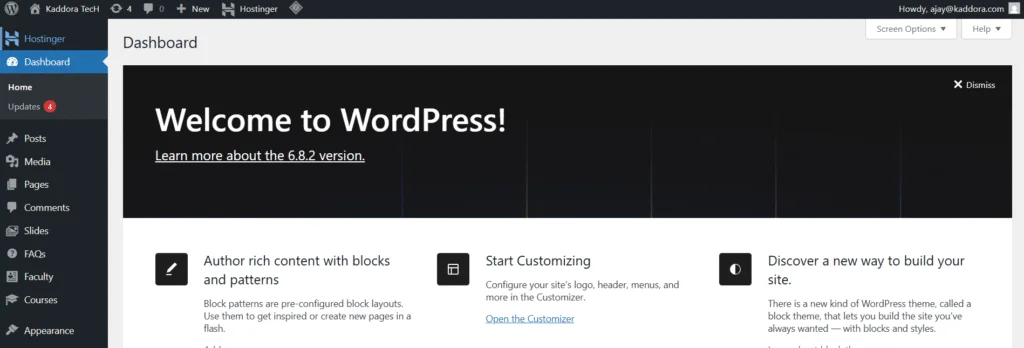
- Log in to your WordPress admin.
- Plugins → Add New →
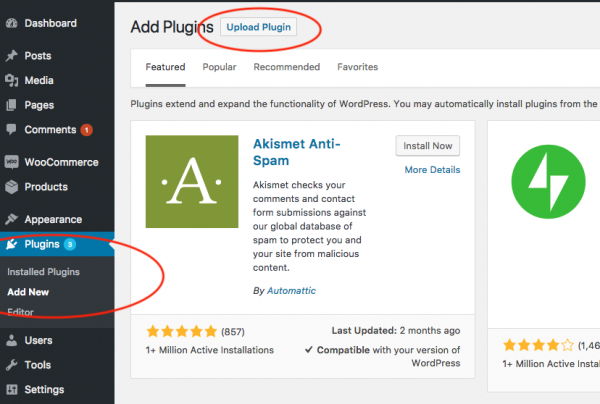
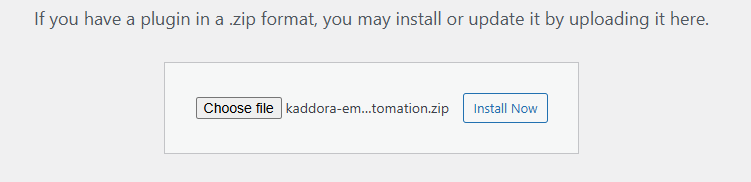
- Upload Plugin > Choose the kaddora-marketing-automation.zip plugin file and click Install Now.
- After successfully Installation & Activation of plugin, you will see ‘Kaddora – Email, SMS & Marketing Automation’ in your installed plugin section, here you can check version and description about the plugin.

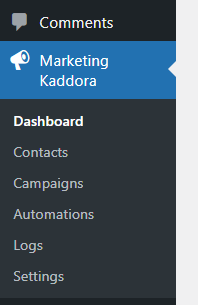
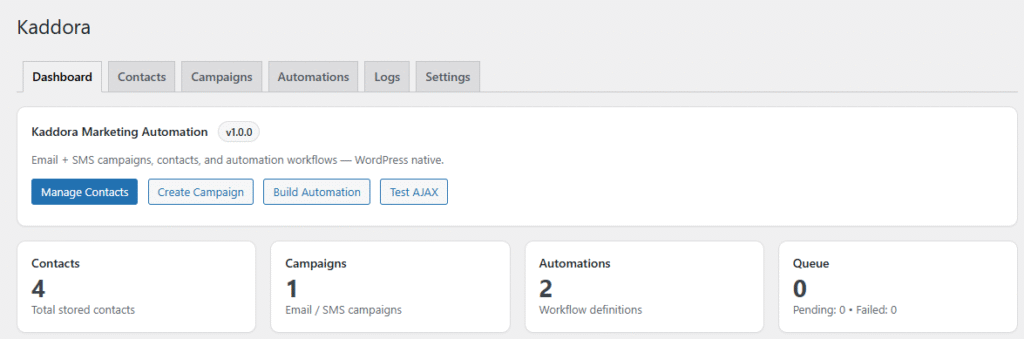
- In WordPress dashboard, you can see ‘Marketing Kaddora’ option available, click on it and access the setting part of the Plugin-
4. Settings (Admin Panel) 🛠️
The settings page allows you to configure default behavior for campaigns, email sending, and plugin environment settings.
Location: Marketing Kaddora → Settings
General Settings- These define the default behavior of the plugin.
- Email Settings– Used when sending campaigns. Fields include:
- Default From Name
- Default From Email
- Reply-To Email
- Email Footer Text
These values will be automatically used when sending campaigns unless overridden.
- SMS Settings – SMS Settings, Used for SMS campaigns:
- SMS Sender ID
- Default Country Code
Future versions will support SMS gateway integration.
- Campaign Defaults – Controls default campaign behaviour. Options include:
- Default campaign status (Draft/Scheduled)
- Default audience type
5. How It Works (Workflow) 📶
Kaddora follows a simple marketing automation workflow.
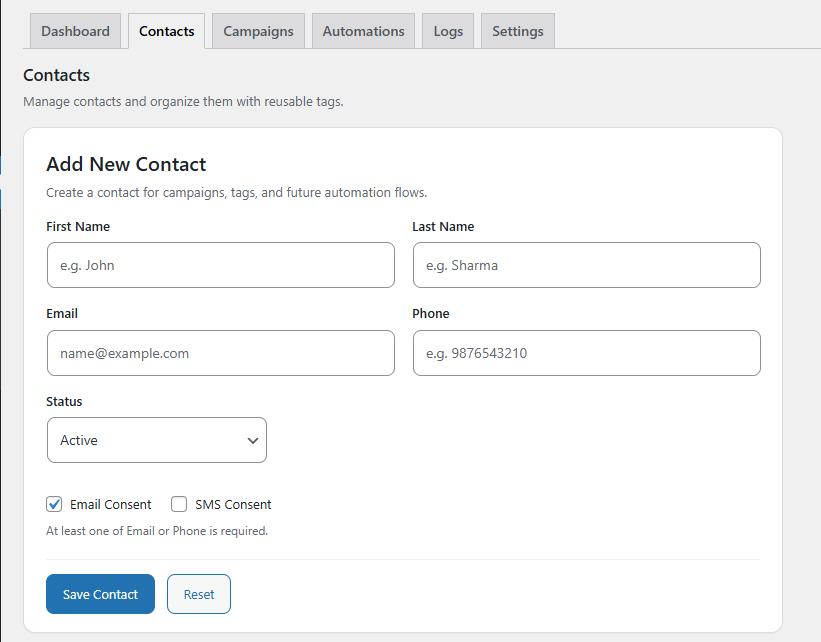
Step 1 – Create Contacts Go to: Marketing Kaddora → Contacts
Add contacts manually or import them later.
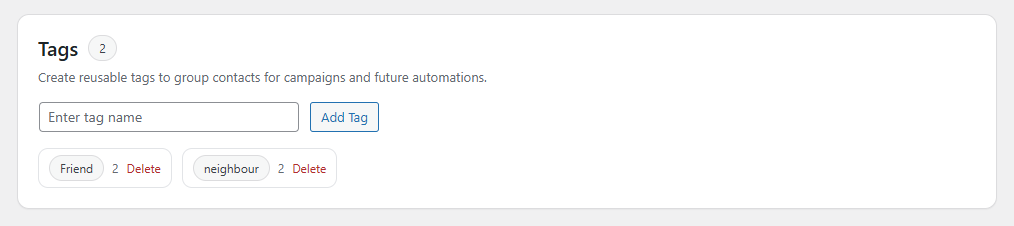
Step 2 – Create Tags Tags help organize contacts. Examples: Webinar, New Lead, Customer, Interested
Tags can be assigned manually or through automations.
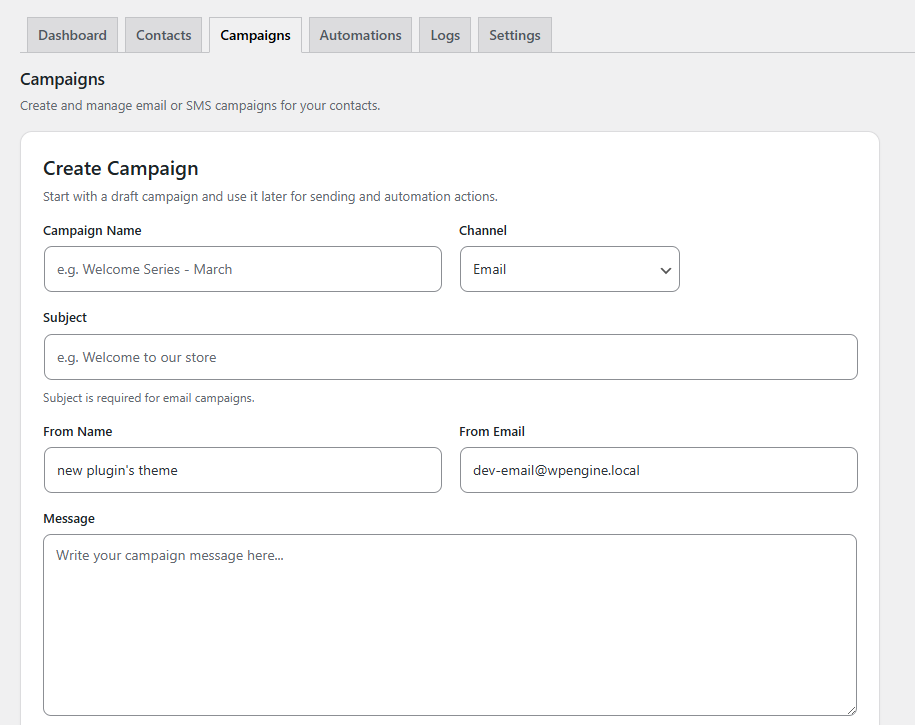
Step 3 – Create Campaigns– Create email or SMS campaigns.
Campaigns include: Campaign name, Channel (Email/SMS), Subject, Message content, Status
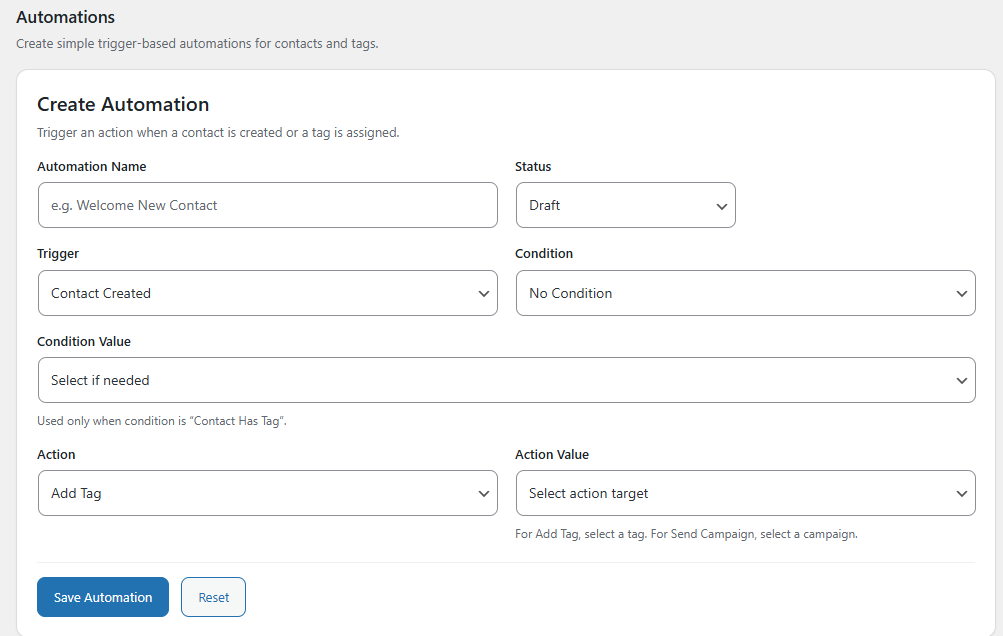
Step 4 – Create Automations
Automations allow you to trigger actions when events occur.
6. Customization Options↗️
Kaddora Marketing Plugin is built to be extendable.
- External CRM integrations
- SMS gateway APIs
- Custom automation triggers
- WooCommerce events
- Advanced segmentation
7. Shortcodes Guide 🎯
Example shortcode: [Kaddora_marketing_automation]
Shortcodes allow frontend integration.
- Newsletter signup forms
- Lead capture forms
- Landing page integrations
8. Performance & Caching ↗️
Key performance features include:
- Efficient database queries
- Scalable repository architecture
- Modular components
- Optional queue system (future versions)
Best Practices– For optimal performance:
- Enable object caching if available
- Avoid extremely large campaigns without queue support
- Use tags for segmentation rather than filtering large contact lists
9. Troubleshooting 🔱
Automations Not Running, Verify:
- Automation status = Active
- Correct trigger configured
- Conditions satisfied
Email Not Sending, Possible causes:
- SMTP configuration missing
- Server mail disabled
- Test mode enabled
10. FAQ 🌐
Q. Can I send SMS campaigns?
A. SMS support is planned through gateway integrations.
Q. Can I connect WooCommerce?
A. Yes. WooCommerce triggers will be supported for automations.
Q. Can I build advanced automation flows?
Yes. Future versions will support: 1. Multi-step workflows, 2. Delay actions, 3. Conditional branching
11. Support & Updates 🚒
Plugin updates will include:
- Email sending engine
- SMS gateway integrations
- Campaign queue system
- Advanced automation builder
- Analytics dashboard
Support (For support or feature requests:)
- Check documentation
- Review troubleshooting steps
- Contact the plugin developer
Thank you for connecting Kaddora Tech ❤️