

Finance Automation Forms kdr Plugin 🎀
User Documentation:📜
Finance Automation Forms kdr is a modern WordPress plugin designed to simplify the collection and management of financial information through structured online forms. It provides ready-to-use forms for invoices, billing, payments, quotations, expenses, and GST registrations, all accessible via simple shortcodes. Submitted data is securely stored in WordPress and presented in a clean admin dashboard with detailed views and export options. The plugin helps businesses streamline finance-related workflows without relying on external tools. Its modular architecture also prepares your site for future automation features like PDF generation, email notifications, and integrations. Ideal for accountants, agencies, and service businesses needing organized financial data capture directly on their website.
📑 Table of Contents
1. Introduction 🎗️
Finance Automation Forms kdr is a professional WordPress plugin designed to streamline financial data collection and document automation.
- It enables businesses to create invoices, payments, GST registrations, quotations, and expense records directly from website forms.
- All submissions are securely stored in the WordPress admin panel with structured details and automation-ready actions.
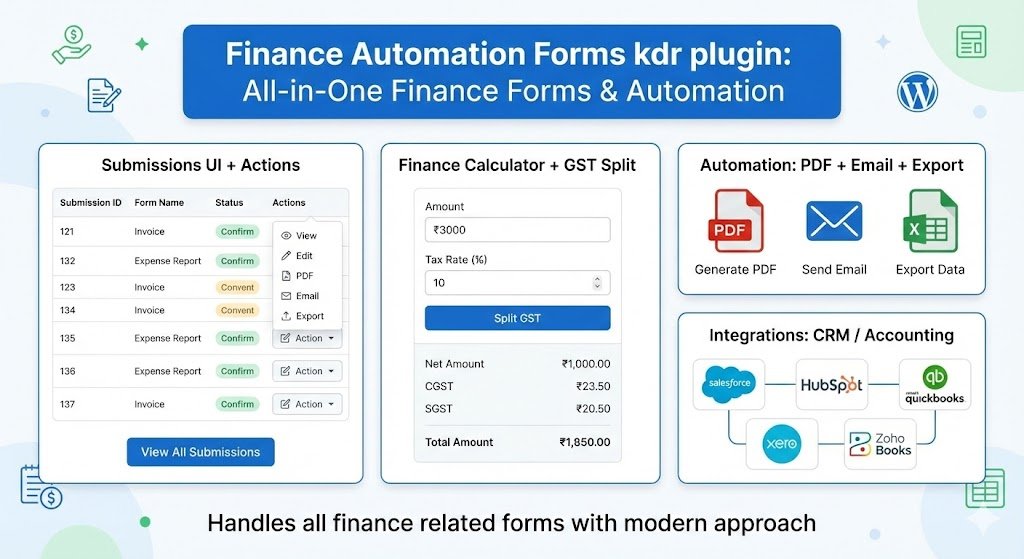
- The plugin supports finance workflows such as PDF generation, email sending, exports, and payment integration (planned automation).
- With modern UI forms and centralized submissions management, it simplifies finance operations for agencies, consultants, and businesses.
2. Requirements & Compatibility 📌
- Minimum requirements:
| WordPress 6.0 or higher |
| PHP 7.4 or higher |
| MySQL 5.7+ / MariaDB 10.3+ |
| HTTPS (recommended for forms & payments) |
- Compatibility: The plugin is compatible with:
| Elementor / Gutenberg / Classic Editor |
| Any WordPress theme |
| WooCommerce (no conflict) |
| Multisite (basic compatible) |
3. Plugin Installation 🦚
Method — Upload ZIP
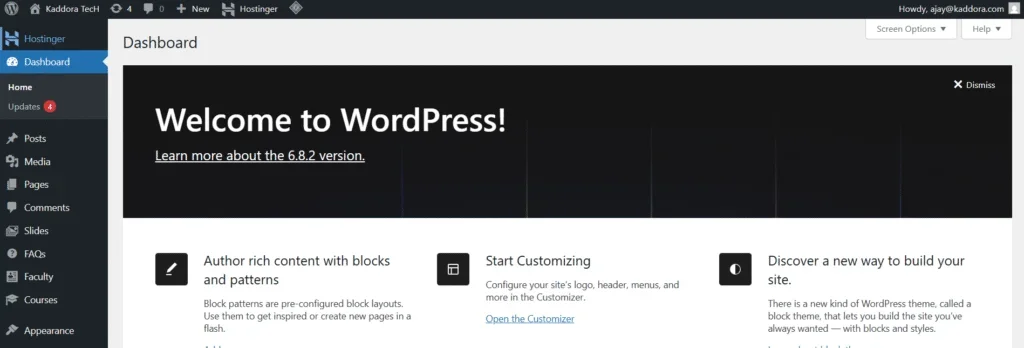
- Go to the WordPress Dashboard –
- Plugins → Add New →
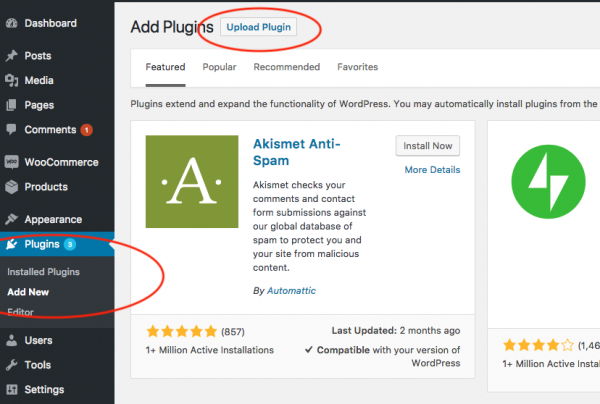
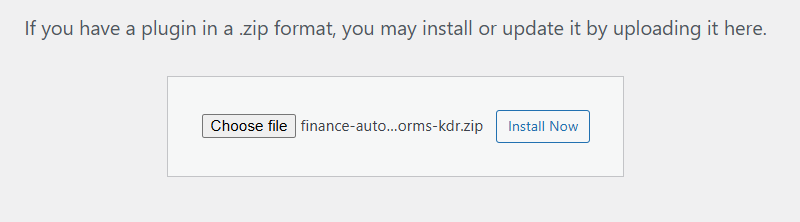
- Upload Plugin > Choose the finance-automation-forms-kdr.zip plugin file and click Install Now.
- After successfully Installation & Activation of plugin, you will see ‘Finance Automation Forms kdr’ in your installed plugin section, here you can check version and description about the plugin

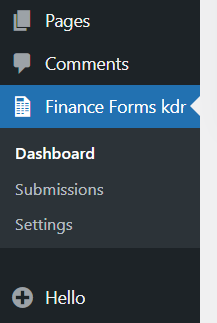
- In WordPress dashboard, you can see ‘Finance Automation Forms kdr’ option available, click on it and access the setting part of the Plugin-
4. Settings (Admin Panel) 🛠️
Navigate to: WP Admin → Finance Forms kdr
There are 3 submenus pages are available there
- Dashboards – Find Shortcodes, Total Form Submissions and basic forms informations
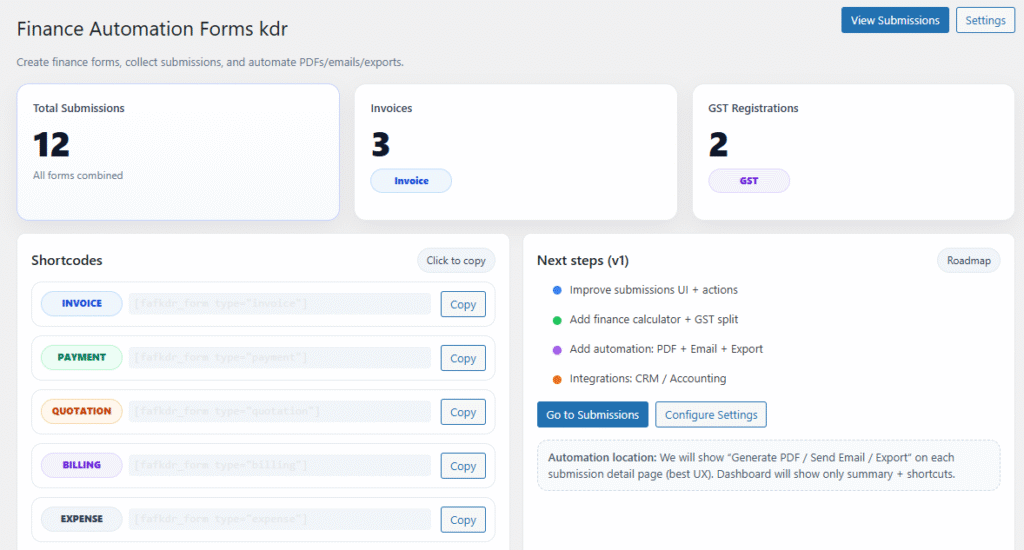
2. Submissions– Find list of Form Submissions with View button having information about Form details.
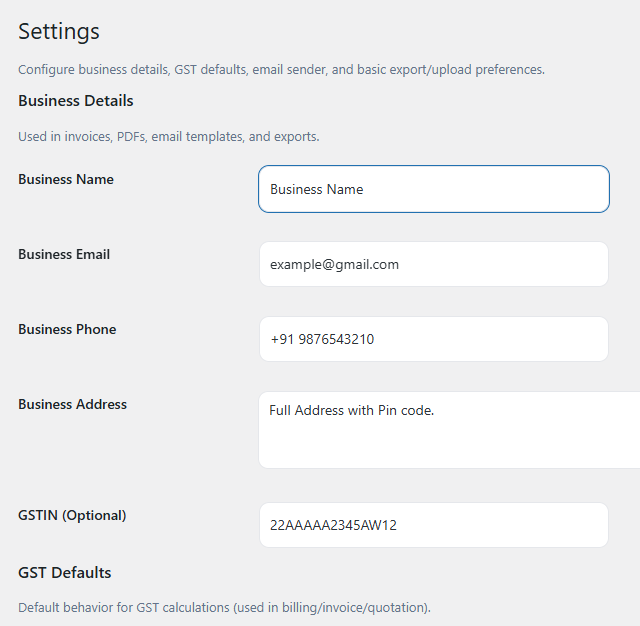
3. Setting page– List your Business Information here and also find automation related details.
We provide all essentials financial forms with automations in single plugin-
5. Forms Overview 🛠️
The plugin includes 6 ready-to-use finance forms:
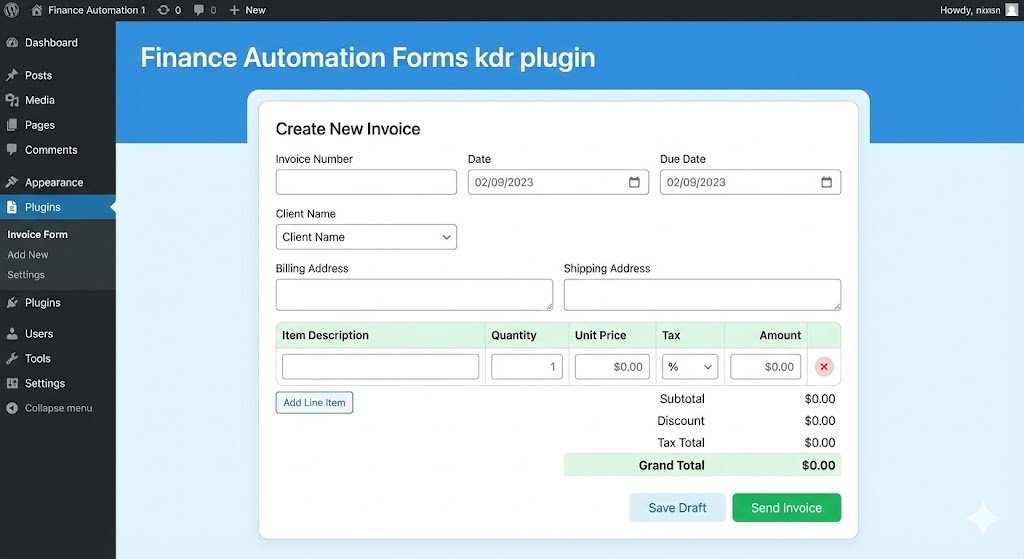
- Invoice Form (Create invoices with items, GST, totals.)
- Payment Form (Collect payments and generate payment links.)
- Quotation Form (Send quotations with items & pricing.)
- Billing Form (Record billing entries.)
- Expense Form (Track business expenses & receipts.)
- GST Registration Form (Collect GST registration details & documents.)
Here is Example of Invoice form-
6. How It Works (Workflow) 📶
Step-by-step process:
- Admin embeds form via shortcode
- User fills finance form on website
- Form data saved securely in database
- Admin views submission in dashboard
- Admin performs automation (PDF / Email / Export)
- Finance record completed
7. Submissions & Automation ☑️
Navigate to: WP Admin → Finance Forms kdr → Submissions
You can:
- View all form submissions
- See customer name & email
- View detailed form data
- Download attachments
- Export CSV
- Perform automation (planned)
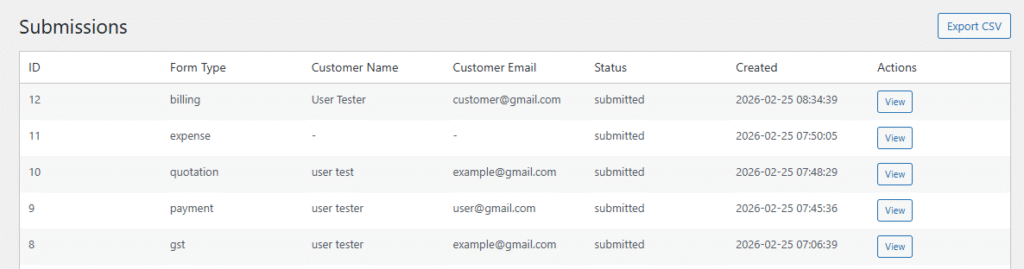
Automation actions appear in: Submission View Button
8. Customization Options 🪼
Styling– You can override styles via CSS:
- .fafkdr-form { }
- .fafkdr-card { }
- .fafkdr-btn { }
- .fafkdr-badge { }
Admin Views- Submission detail views located at: /includes/admin-views/submissions/
9. Shortcodes Guide 🎯
Embed forms anywhere (page, post, Elementor, etc.)
- [fafkdr_form type=”invoice”]
[fafkdr_form type=”payment”]
[fafkdr_form type=”quotation”]
[fafkdr_form type=”billing”]
[fafkdr_form type=”expense”]
[fafkdr_form type=”gst”]
10. Performance & Security ↗️
Performance:
- Lean DB schema
- No external dependencies
- Lightweight JS
- Minimal queries
Security features:
- WordPress nonce validation
- Sanitized inputs
- Safe file uploads
- Escaped output
- SQL prepared queries
11. Troubleshooting 🔱
Form not saving, Check:
Nonce present, POST method, JS errors
Files not uploading– Check:
PHP upload limits, WordPress uploads writable, Allowed file types
CSV export error– Check:
No output before headers, Admin hook loaded, Permissions
12. FAQ 🌐
Q. Can I add custom fields?
A. Yes — edit template files.
Q. Can I change currency?
Yes — modify form select fields.
Q. Are payments processed?
A. Planned in automation module.
13. Support & Updates 🚒
Support:
- Plugin support page
- Developer contact
- Future updates dashboard
Planned roadmap:
- Automation engine
- PDF generator
- Email templates
- Payment gateway
- CRM integration
- Reports dashboard
Thank you for connecting Kaddora Tech ❤️