

WooCommerce Advanced Filters kaddora Plugin 🎀
User Documentation:📜
WooCommerce Advanced Filters Kaddora is a modern, AJAX-powered product filtering plugin designed to improve the shopping experience on WooCommerce stores. It is Modern, scalable, AJAX-powered WooCommerce product filters (price, category, attributes, rating, stock, search). It is modern, market ready advanced WooCommerce filter add-on plugin.
📑 Table of Contents
1. Introduction 🎗️
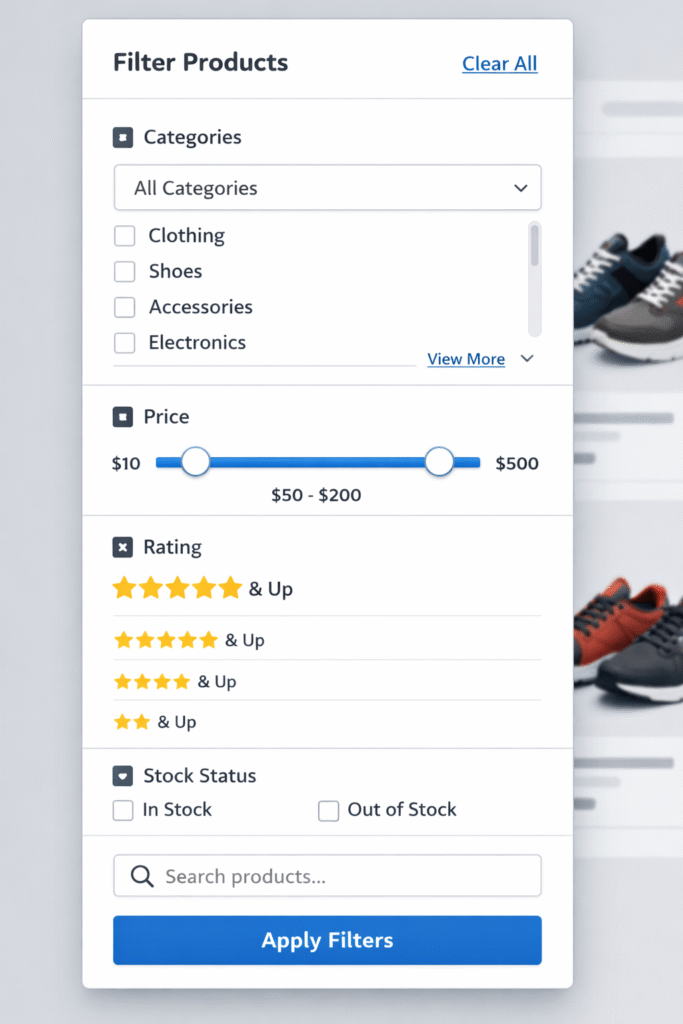
WooCommerce Advanced Filters kaddora is a modern, AJAX-powered product filtering plugin designed to improve the shopping experience on WooCommerce stores. The plugin allows customers to filter products instantly without page reloads using advanced filters such as:
- Category
- Price Range
- Attributes (Color, Size, Brand, etc.)
- Rating
- Stock Status
- Product Search
Key Features :
- Instant AJAX product filtering
- No page reload
- Filter Sets (layout builder)
- Price range filtering
- Attribute filtering
- Rating filtering
- Stock status filtering
- Product search
- Responsive design
- Compatible with most WooCommerce themes
2. Requirements & Compatibility 📌
Minimum requirements:
| WordPress 5.8 or higher |
| PHP 7.4 or higher |
| HTTPS recommended (for clipboard & API features) |
Tested up to:
| WordPress 6.x |
| PHP 8.x |
Compatible with:
| Classic Editor |
| Gutenberg |
| WooCommerce |
| Page builders (Elementor, WPBakery, etc.) |
3. Plugin Installation 🦚
Method — Upload ZIP
- Go to the WordPress Dashboard –
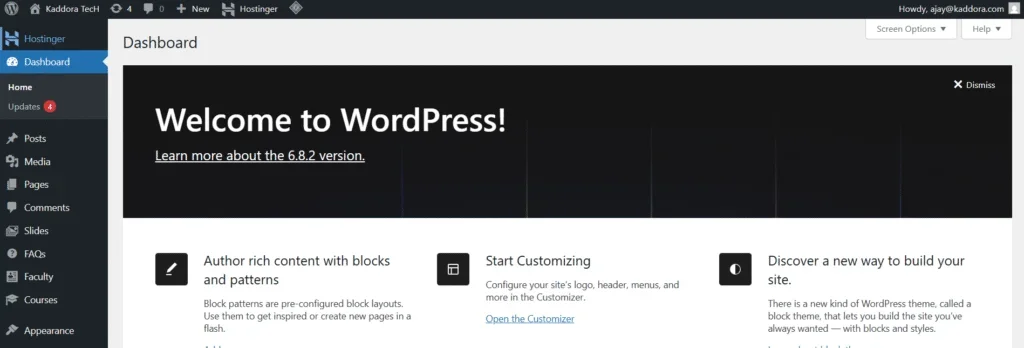
- Plugins → Add New →
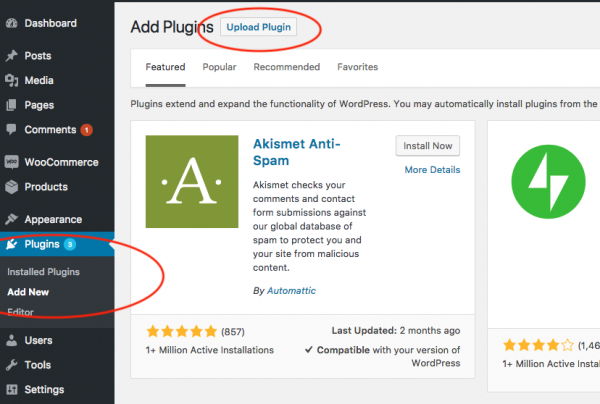
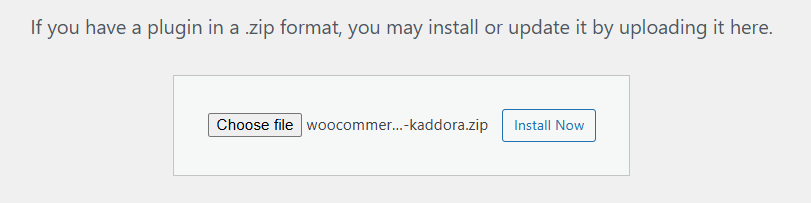
- Upload Plugin > Choose the woocommerce-filters-kaddora.zip plugin file and click Install Now.
- After successfully Installation & Activation of plugin, you will see ‘WooCommerce Advanced Filters kaddora’ in your installed plugin section, here you can check version and description about the plugin.

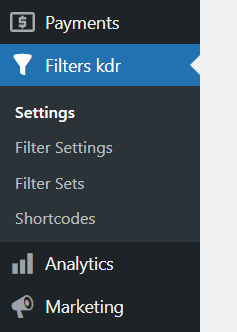
- In WordPress dashboard, you can see ‘Filters kdr’ option available inside WooCommerce section, click on it and access the setting part of the Plugin-
4. Settings (Admin Panel) 🛠️
Inside this menu you will find:
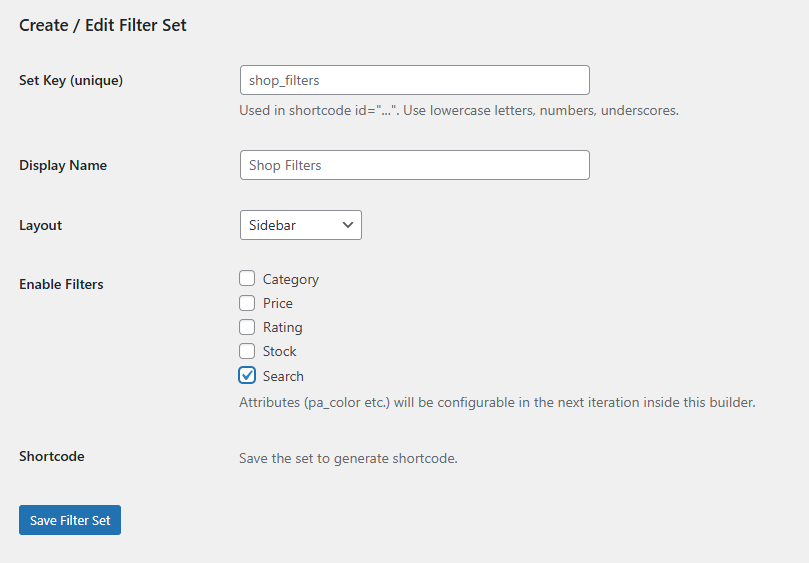
- Settings – General plugin information and quick links.
- Filter Sets– This is the Layout Builder. Filter Sets allow you to create custom filter layouts.
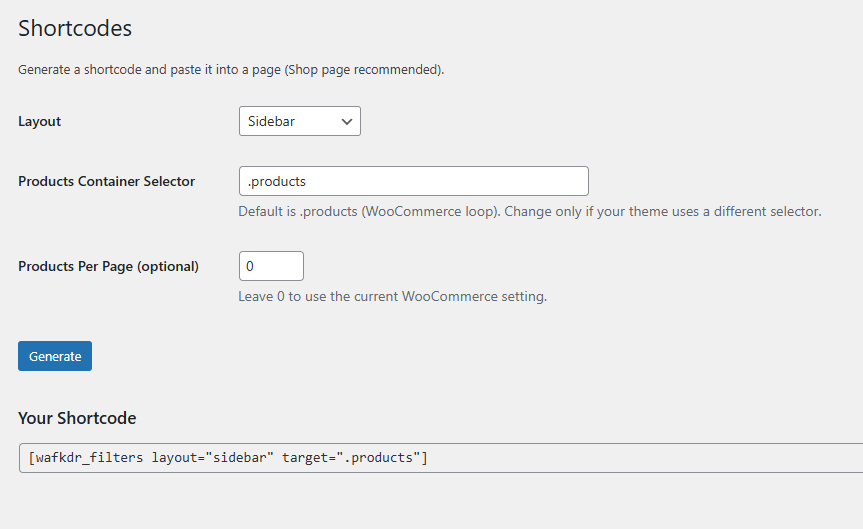
- Shortcodes – The shortcode generator helps you quickly create shortcodes for use on pages.
- Filter Settings – Configure which filters are available. Examples:
- Enable Category Filter
- Enable Attribute Filters
- Choose Attribute Taxonomies
5. How It Works (Workflow) 📶
The plugin works in the following steps:
Step 1 Admin creates a Filter Set
Step 2 Admin selects which filters should be active.
Step 3 The plugin generates a shortcode.
Step 4 The shortcode is placed on a page that displays WooCommerce products.
Step 5 Customers interact with filters.
Step 6 Products update instantly using AJAX.
6. Customization Options 🪼
The plugin provides multiple customization options.
Layout Options – Filter sets support different layouts:
- Sidebar Filters
- Horizontal Filters
- Dropdown Filters
- Mobile Modal
- Sticky Filters
Filter Types – Supported filters include:
| Category | Filter by product categories |
| Price | Filter by price range |
| Attributes | Filter by attributes like color or size |
| Rating | Filter by product rating |
| Stock | Filter by stock availability |
| Search | Search within products |
7. Shortcodes Guide 🎯
Main Shortcode- “[wafkdr_filters]”
Filter Set Shortcode “[wafkdr_filters id=”shop_filters]”
8. FAQ 🌐
Q. Does the plugin work with any theme?
A. Yes, the plugin works with most WooCommerce-compatible themes.
Q. Does it support AJAX filtering?
A. Yes. All filtering happens instantly without page reload.
Q. Can I filter by attributes?
A. Yes, it support it.
Thanks for Visiting Kaddora Tech 💖