

WooCommerce AI Product Recommendations kaddora Plugin 🎀
User Documentation:📜
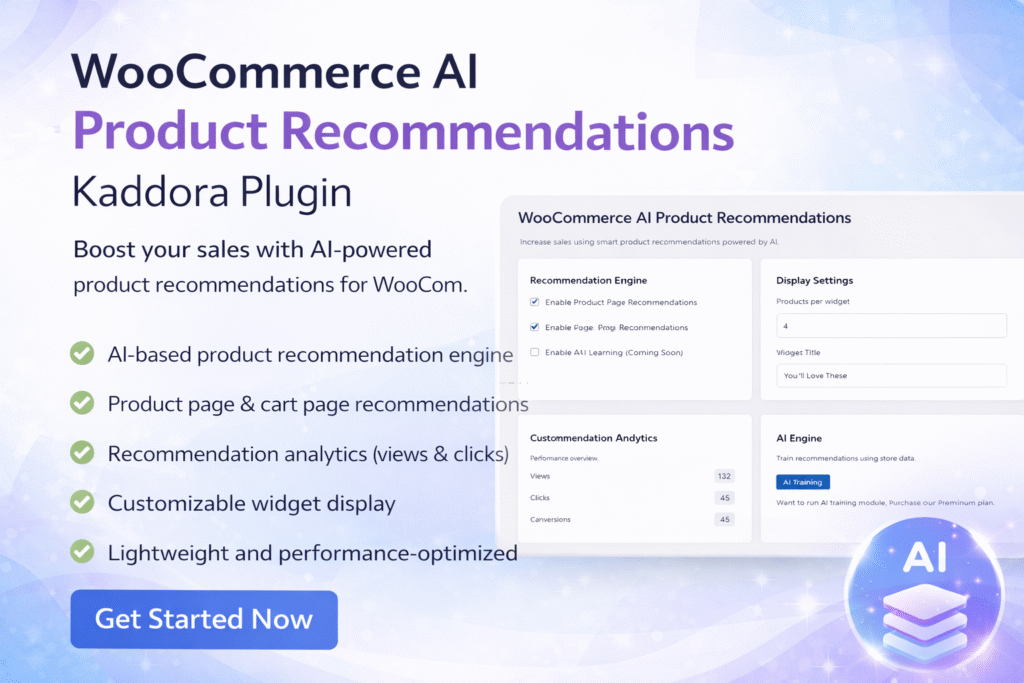
WooCommerce AI Product Recommendations Plugin is a smart recommendation plugin that helps WooCommerce store owners increase sales by displaying relevant product suggestions to customers.
📑 Table of Contents
1. Introduction 🎗️
WooCommerce AI Product Recommendations kdr is a smart recommendation plugin that helps WooCommerce store owners increase sales by displaying relevant product suggestions to customers.
The plugin analyzes products in the cart or product page and automatically shows recommended items that customers may be interested in. This improves:
- Customer engagement
- Cross-selling opportunities
- Average order value
- Store conversion rates
The plugin integrates seamlessly with WooCommerce product pages and cart pages and works automatically after activation.
Key Features:
- AI-based product recommendation engine
- Product page recommendations
- Cart page recommendations
- Recommendation analytics (views & clicks)
- Customizable widget display
- Lightweight and performance-optimized
2. Requirements & Compatibility 📌
Before installing the plugin, make sure your website meets the following requirements.
Minimum requirements:
| WordPress 5.8 or higher |
| PHP 7.4 or higher |
| WooCommerce 6.0 or higher |
| MySQL 5.6 or higher |
Recommended Environment:
| WordPress 6.x |
| WooCommerce latest version |
| PHP 8.0+ |
| HTTPS enabled store |
3. Plugin Installation 🦚
Method — Upload ZIP
- Go to the WordPress Dashboard –
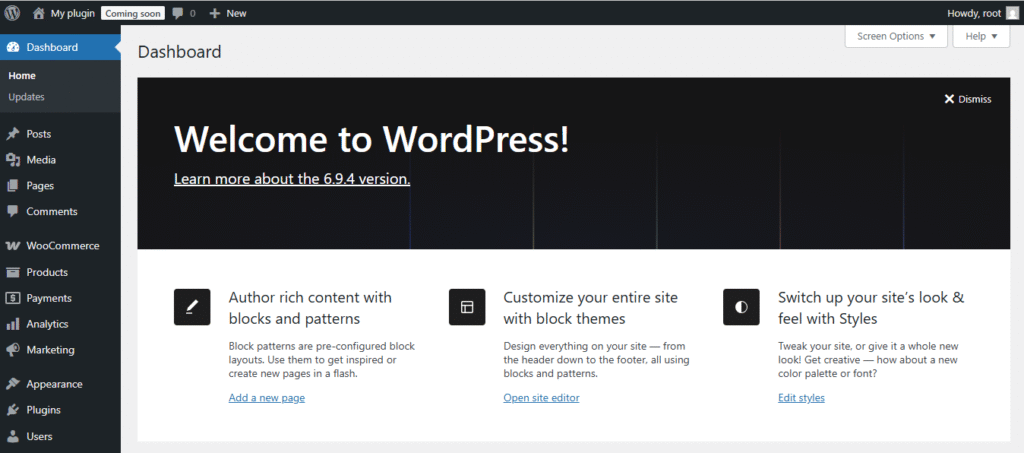
- Plugins → Add New →
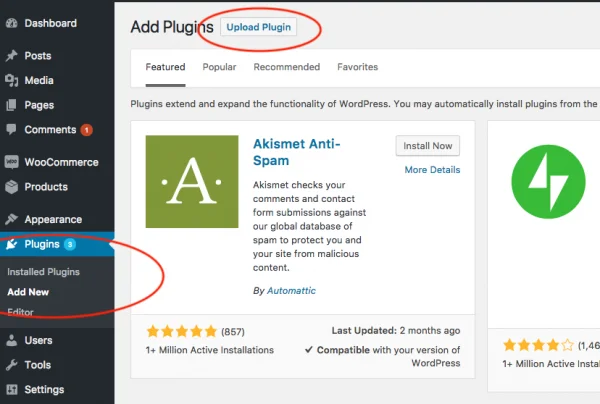
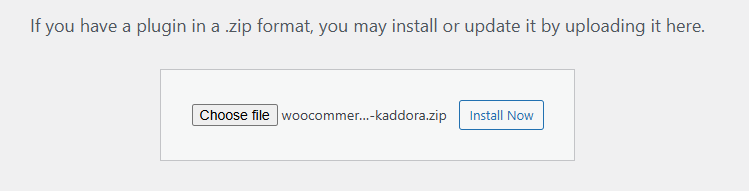
- Upload Plugin > Choose the woocommerce-ai-products-kaddora.zip plugin file and click Install Now.
- After successfully Installation & Activation of plugin, you will see ‘WooCommerce AI Product Recommendations Kaddora’ in your installed plugin section, here you can check version and description about the plugin.

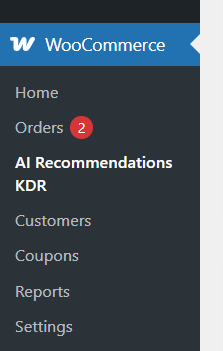
- In WordPress dashboard, you can see ‘AI Recommendations KDR’ option available inside WooCommerce section, click on it and access the setting part of the Plugin-
4. Settings (Admin Panel) 🛠️
After activation, plugin settings can be accessed from: The settings page contains several configuration sections.
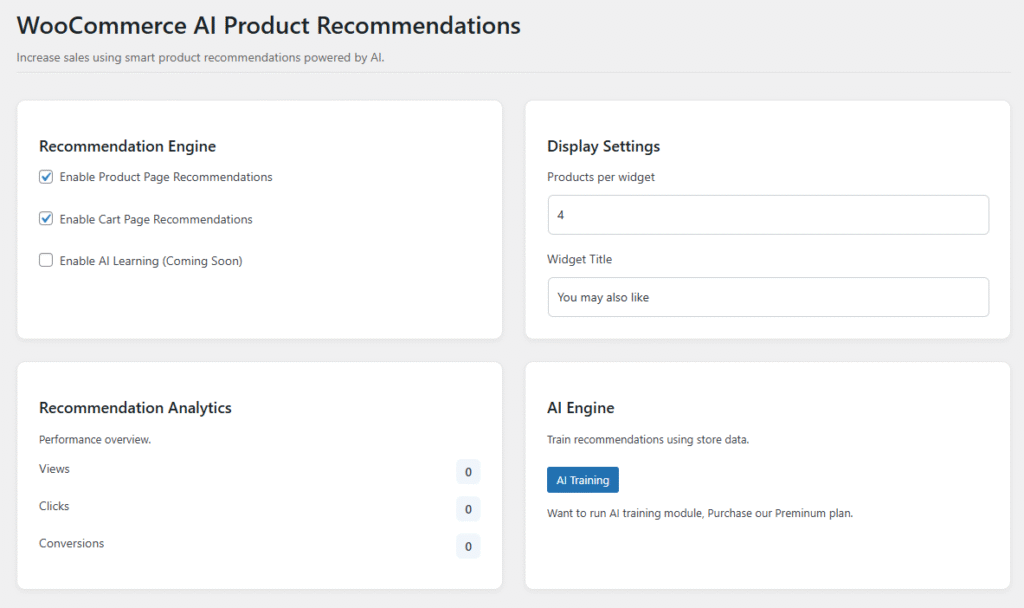
Recommendation Engine
This section controls where recommendations appear.
Enable Product Page Recommendations, Displays recommended products on the single product page.
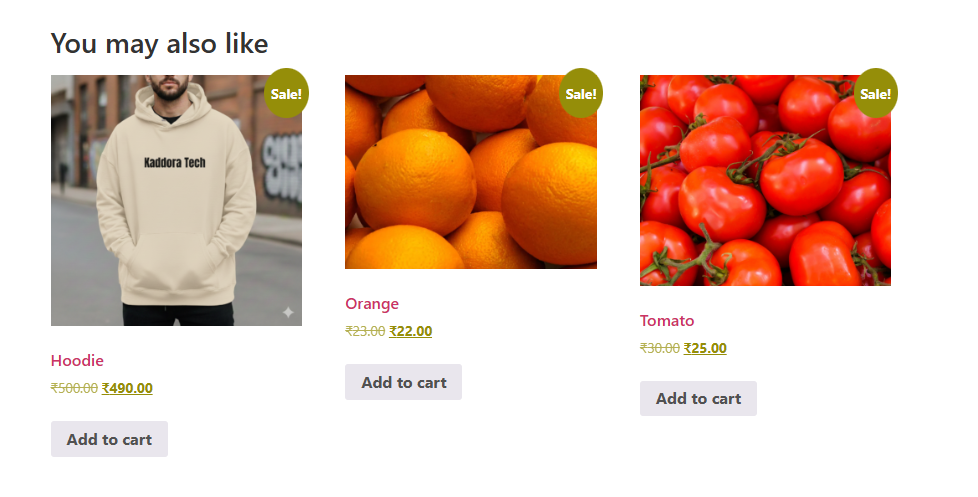
Enable Cart Page Recommendations : Displays recommended products on the cart page.
Enable AI Learning (Coming Soon) : This feature will automatically improve recommendations based on:
- customer behavior
- product popularity
- purchase patterns
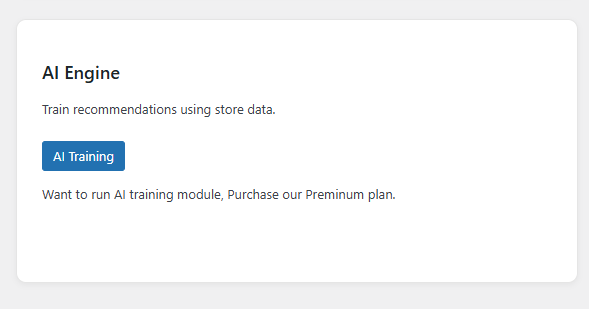
Display Settings: This section controls how recommendations appear.
Recommendation Analytics: This section shows performance metrics for recommendations.
- Views (Number of times recommended products were shown to customers.)
- Clicks (Number of times customers clicked recommended products.)
- Conversions (Number of purchases resulting from recommended products.)
5. How It Works (Workflow) 📶
The plugin works automatically using the following workflow.
- Step 1 — Customer visits a product page
- Step 2 — Customer adds product to cart
- Step 3 — Customer interacts with recommendations
6. Customization Options 🪼
Store owners can customize recommendation behavior.
Customize Widget Title
Control Product Count
Enable or Disable Locations
7. Shortcodes Guide 🎯
The plugin also supports shortcodes for manually placing recommendations.
Display Recommendations – [wc_ai_recommendations]
This shortcode displays recommended products based on:
- viewed product
- cart contents
8. FAQ 🌐
Does the plugin slow down my store?
No. The plugin is designed to be lightweight and optimized for performance.
Does it work with any WooCommerce theme?
Yes. The plugin works with most WooCommerce compatible themes.
Can I change the recommendation title?
Yes. You can change it from: WooCommerce → AI Recommendations → Widget Title
Does it support page builders?
Yes. It works with most builders.
Can I disable recommendations?
Yes. You can disable them from the plugin settings.
9. Troubleshooting 🔱
Recommendations Not Showing
Possible causes:
- WooCommerce not activated
- Theme overrides WooCommerce hooks
- Cart page using custom template
- Plugin recommendations disabled
Cart Page Recommendations Missing
Some themes replace the default WooCommerce cart template.
Check if your theme supports WooCommerce cart hooks.
Thanks for Visiting Kaddora Tech 💖