

WooCommerce-Subscription-Membership-kaddora Plugin🎀
User Documentation :📜
WooCommerce Subscription & Membership Kaddora is a powerful WordPress plugin that enables store owners to create and manage subscription-based products and membership plans directly in WooCommerce.
📑 Table of Contents
- 1. Introduction
- 2. Requirements & Compatibility
- 3. Plugin Installation
- 4. Admin Dashboard Overview
- 5. Creating Subscription Plans
- 6. Creating Membership Plans
- 7. Settings (Admin Panel)
- 8. Membership Access & Content Restriction
- 9. Customer My Account Subscription Management
- 10. Subscription Renewals & Billing Cycles
- 11. Member Discounts
- 12. Customization Options
- 13. Troubleshooting
- 14. FAQ
- 15. Support & Updates
1. Introduction 🎗️
WooCommerce Subscription & Membership Kaddora is a powerful plugin designed to extend the functionality of WooCommerce by allowing store owners to create subscription-based products and membership systems.
Key benefits include:
- Create recurring revenue streams for your store
- Offer exclusive content or products for members
- Manage subscriptions automatically after order completion
- Allow customers to manage their subscriptions from their account page
This plugin is suitable for:
- Online learning platforms
- Premium content websites
- Subscription product stores
- Membership communities
2. Requirements & Compatibility 📌
Minimum Requirements:
- WordPress version 5.8 or higher
- Latest version of WooCommerce
- PHP version 7.4 or higher
- MySQL version 5.6 or higher
Recommended Environment:
PHP 8.0+
HTTPS enabled website
Modern browser (Chrome, Firefox, Edge)
Compatibility :
The plugin works smoothly with:
Most WooCommerce-compatible themes
Standard WordPress plugins
WooCommerce payment gateways
3. Plugin Installation 🦚
Method — Upload ZIP
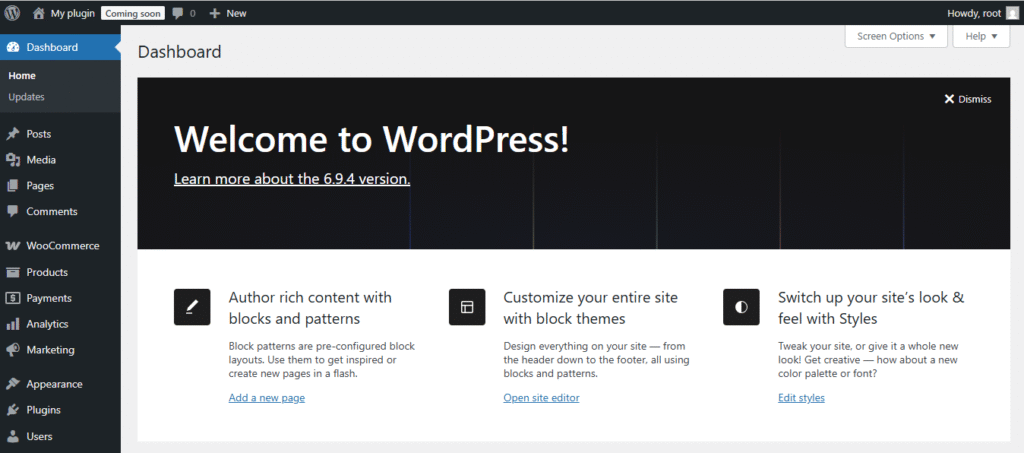
- Go to the WordPress Dashboard –
- Plugins → Add New →
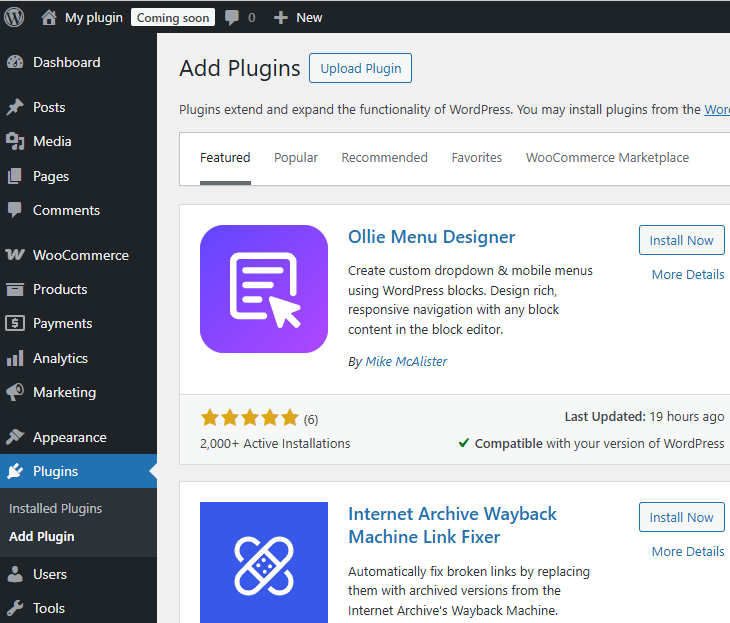
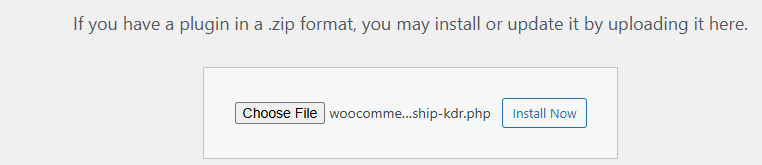
- Upload Plugin > Choose the WooCommerce-Subscription-Membership-kaddora.zip plugin file and click Install Now.
- After successfully Installation & Activation of plugin, you will see ‘WooCommerce-Subscription-Membership-kaddora Plugin’ in your installed plugin section, here you can check version and description about the plugin

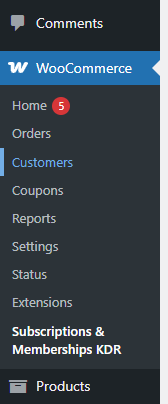
- In WordPress dashboard, you can see ‘WooCommerce-Subscription-Membership-kaddora Plugin Settings’ option available, click on it and access the setting part of the Plugin.
4. Admin Dashboard overview 🦚
The plugin provides a dedicated admin dashboard where administrators can monitor subscription and membership activities.
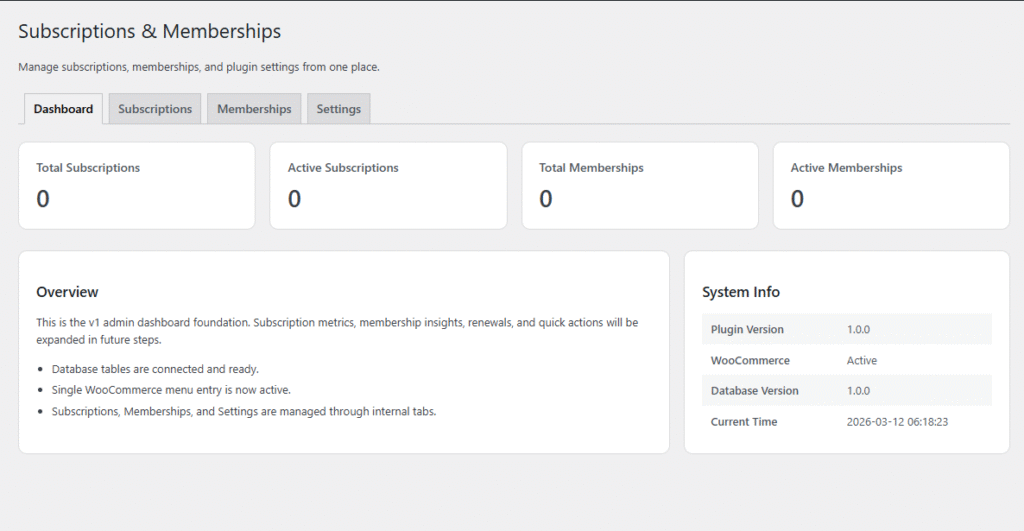
Dashboard Benefits
- Quick overview of subscription performance
- Easy tracking of member activity
- Centralized management interface
5. Creating Subscription Plans🎗
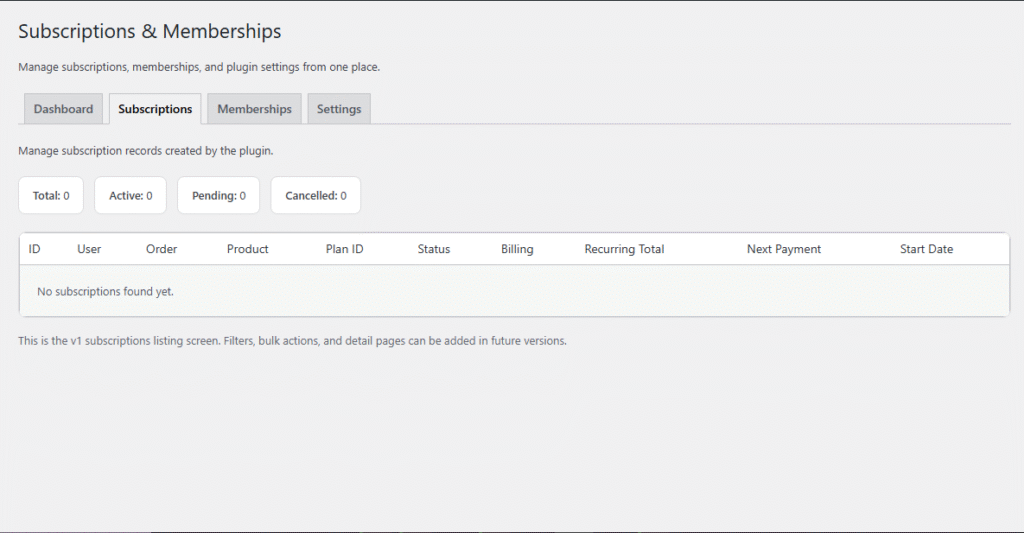
Plan Settings
Each subscription plan can include:
- Billing interval (daily, weekly, monthly, yearly)
- Signup fee
- Free trial duration
- Recurring payment amount
- Renewal schedule
6. Creating Membership Plans
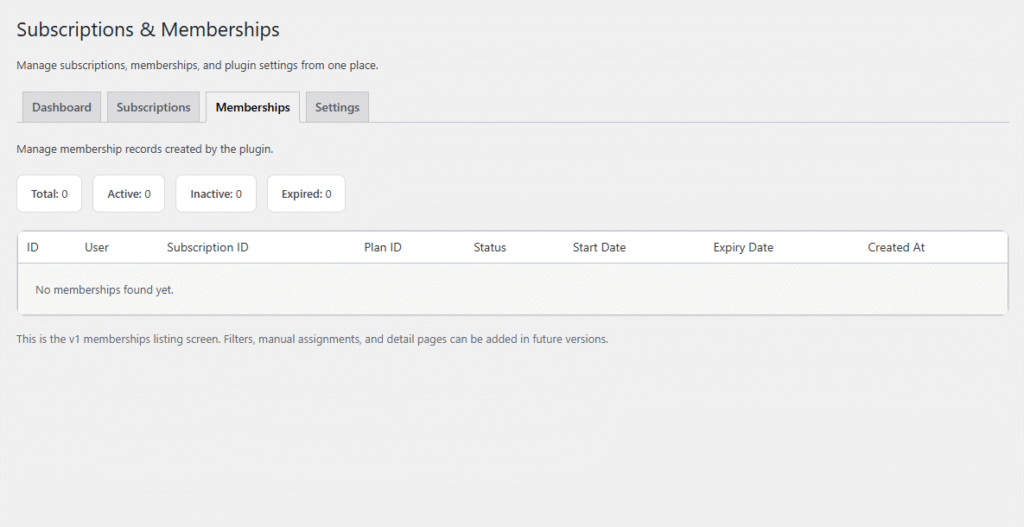
Membership Features
Membership plans can provide:
- Access to restricted content
- Exclusive product availability
- Special discounts for members
- Premium resources
7. Settings (Admin Panel) 🛠️
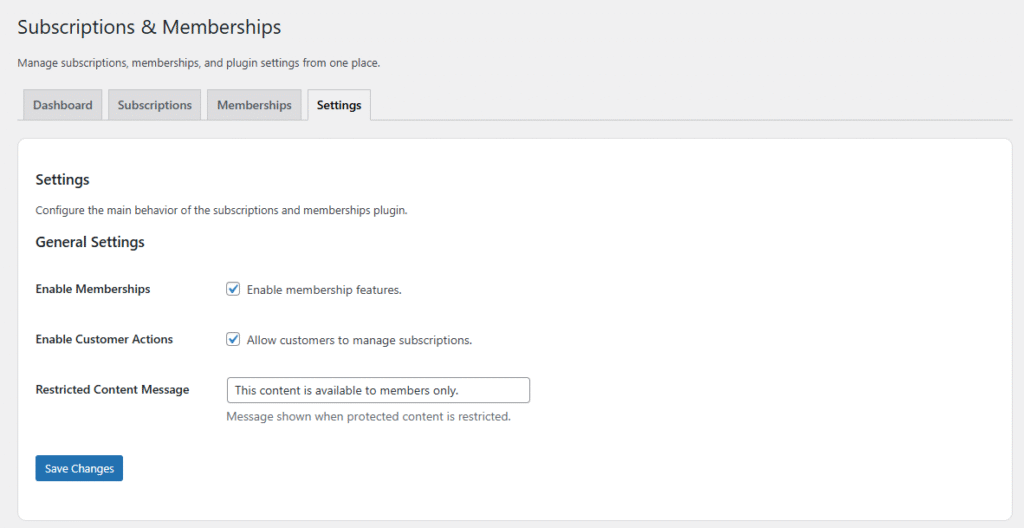
The Settings Page allows administrators to configure the main behavior and functionality of the WooCommerce Subscription & Membership Kaddora plugin.
How to Access the Settings Page
- Login to your WordPress admin dashboard.
- Navigate to Subscriptions → Settings or Kaddora Membership → Settings.
- The settings page will open where you can configure the plugin options.
8. Membership Access & Content Restriction 🛠️
Membership access control allows administrators to restrict certain content for members only.
Content That Can Be Restricted
You can restrict access to:
- Pages
- Posts
- WooCommerce products
- Custom content sections
9. Customer My Account Subscription Management
Customers can manage their subscriptions from the My Account page.
This section integrates with the customer dashboard in WooCommerce.
Customers Can:
- View active subscriptions
- Pause subscriptions
- Resume subscriptions
- Cancel subscriptions
- Check next billing date
Advantages
- Self-service subscription management
- Reduced support requests
- Better customer experience
10. Subscription Renewals & Billing Cycles🛠️
The plugin automatically handles subscription renewals.
Renewal Workflow
- Customer purchases a subscription product.
- Subscription becomes active after order completion.
- The system tracks the next billing date.
- On the renewal date, payment is processed.
- Subscription status updates automatically.
Supported Billing Cycles
- Daily
- Weekly
- Monthly
- Yearly
This automation ensures that recurring payments are processed without manual intervention.
11. Member Discounts🛠️
The plugin allows store owners to offer discounts specifically for members.
Discount Options
Members can receive:
- Percentage-based discounts
- Fixed price discounts
- Exclusive member pricing
12. Customization Options🛠️
The plugin offers several customization options to match your website design and business requirements.
Customizable Elements
You can customize:
- Membership restriction messages
- Dashboard layout
- Subscription plan display
- Account page sections
Developer Friendly
Developers can extend functionality using:
- WordPress hooks
- Filters
- Custom templates
This flexibility makes the plugin suitable for both beginners and advanced developers.
13.Troubleshooting🛠️
If you encounter issues while using the plugin, follow these troubleshooting steps.
Common Issues
Plugin not working after activation
- Ensure WooCommerce is installed and activated.
- Clear website cache.
Subscriptions not creating
- Verify WooCommerce order status is completed.
- Check product subscription settings.
Membership restriction not working
- Confirm the membership plan is assigned correctly.
14. FAQ🛠️
1. Does the plugin support recurring payments?
Yes, the plugin supports automated recurring payments through WooCommerce.
2. Can customers cancel their subscriptions?
Yes, customers can cancel subscriptions from their account page.
3. Can I restrict pages for members only?
Yes, pages, posts, and products can be restricted.
4. Does the plugin support free trials?
Yes, subscription plans can include free trial periods.
12.15. Support & Updates🛠️
The plugin is regularly updated to ensure compatibility with new versions of WordPress and WooCommerce.
Support Options
If you need assistance:
- Contact the plugin support team
- Check plugin documentation
- Review FAQ section
Updates
Regular updates include:
- Bug fixes
- Performance improvements
- New features
- Security enhancements
Keeping the plugin updated ensures smooth performance and compatibility with the latest version of WooCommerce.