

SocialHub Kaddora – Social Sharing & Feeding Plugin🎀
User Documentation:📜
SocialHub is a powerful all-in-one WordPress plugin for social sharing buttons and live social media feeds, built with a modern UI, performance-first architecture, and complete customization in mind. Easily add beautiful social sharing buttons and dynamic feeds from platforms like Facebook, Twitter/X, Instagram, YouTube, WhatsApp, Pinterest, and more — without writing a single line of code.
📑 Table of Contents
1. Introduction 🎗️
SocialHub combines two essential features into one powerful plugin:
- ❄️ Social Sharing Buttons
- 🌟 Live Social Media Feeds
This plugin is built with:
- Modern UI/UX
- Fully responsive layouts
- SVG-based icons
- Color pickers
- Shortcode-based flexibility
2. Requirements & Compatibility 📌
- Minimum Requirements –
| WordPress 5.8 or higher |
| PHP 7.4 or higher |
| HTTPS recommended (for clipboard & API features) |
- Compatible With –
| Block Editor (Gutenberg) |
| Classic Editor |
| Elementor |
| Any modern WordPress theme |
| WooCommerce (no conflict) |
3. Plugin Installation 🦚
Method 1: Upload Plugin (Recommended)
- Go to the WordPress Dashboard ->
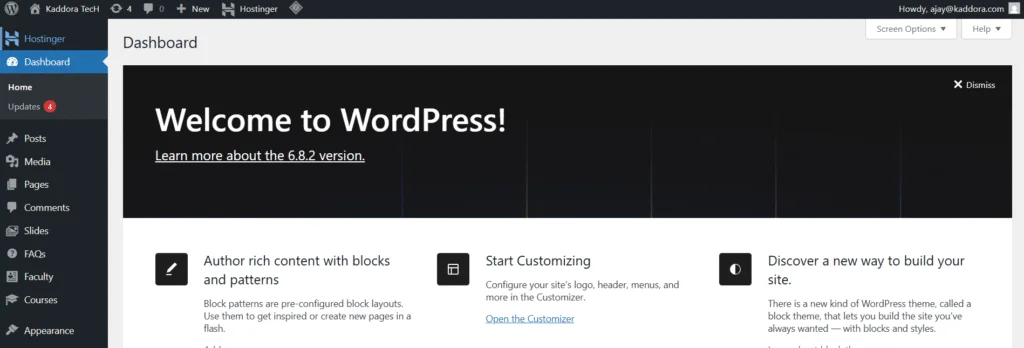
- Plugins → Add New →
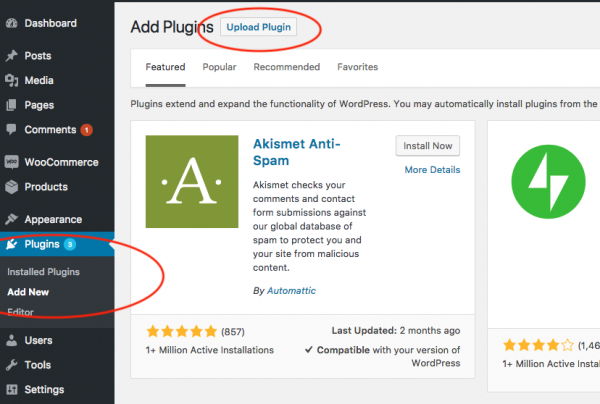
- Upload Plugin > Choose the SocialHub.zip plugin file and click Install Now.
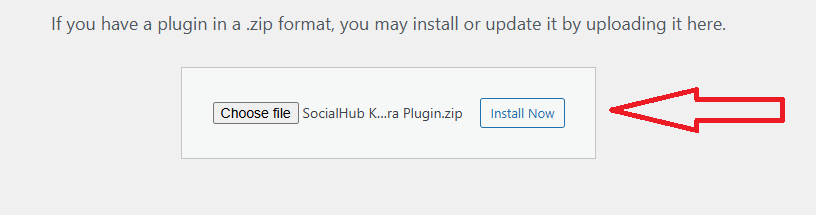
- After successfully Installation & Activation of plugin, you will see ‘SocialHub Kaddora’ in your installed plugin section, here you can check version and description about the plugin

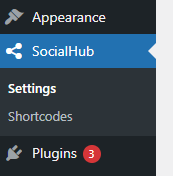
- In WordPress dashboard, you can see ‘SocialHub’ option available, click on it and access the setting part of the Plugin-
Method 2: FTP Upload –
- Extract the plugin ZIP
- Upload to: /wp-contect /plugins /socialhub
- Activate from Plugins → Installed Plugins
4. SocialHub Settings (Admin Panel) 🛠️
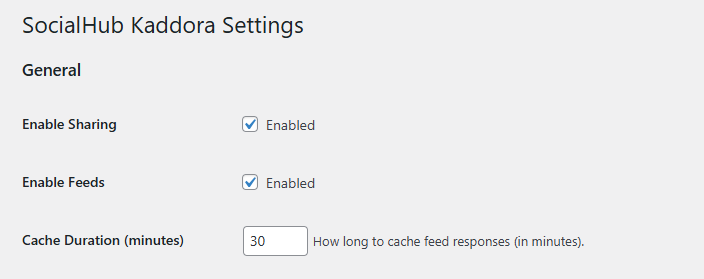
General Settings –
- ✅ Enable / Disable Social Sharing
- ✅ Enable / Disable Social Feeds
- ⏱️ Cache duration (in minutes)
5. Social Sharing Buttons 📲
📌 Before explore setting page, first look our Social Sharing Buttons in all exiting Mode:
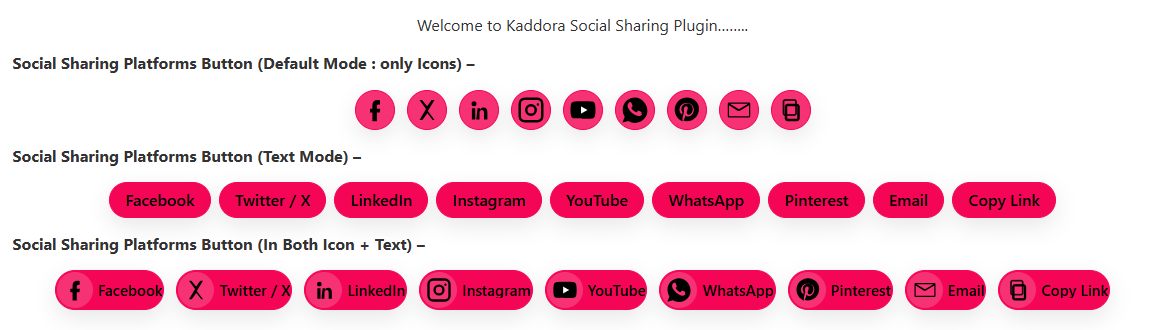
Available Platforms – There are above 8 Social Sharing Platforms are available
- Twitter / X
- YouTube
- Copy Link
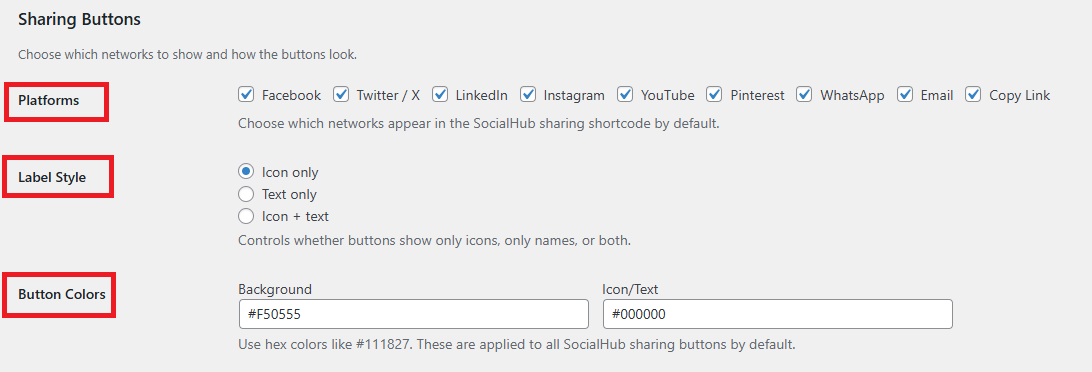
Button (Label) Styles:
- Icon only
- Text only
- Icon + Text
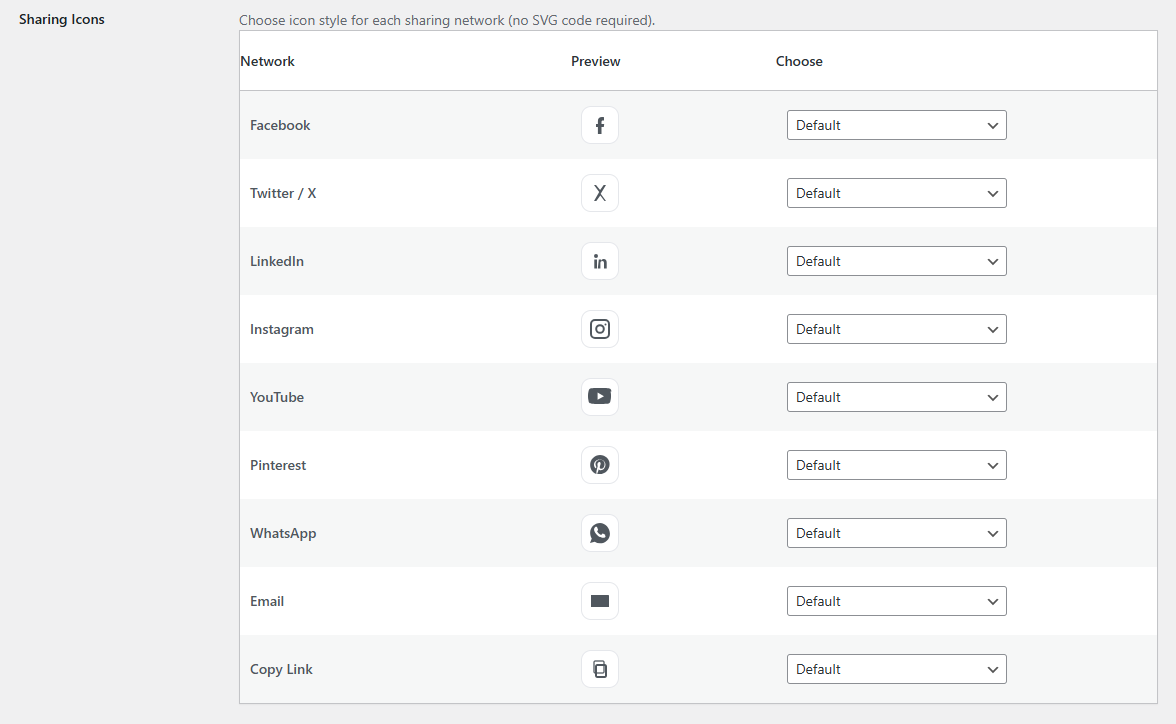
Icon Customization:
- Choose icon pack per platform:
- Default
- Icon Pack 1
- Icon Pack 2
- No SVG code pasting required
- Live preview in admin panel
Color Customization :
- Button background color
- Icon / text color
- Uses modern color picker
6. Social Feeds 📶
Supported Social Feed Sources –
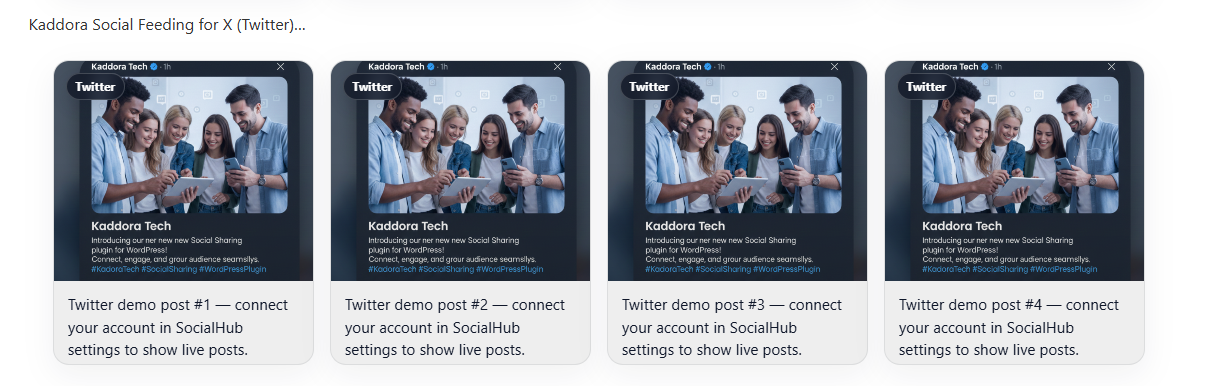
- Twitter / X
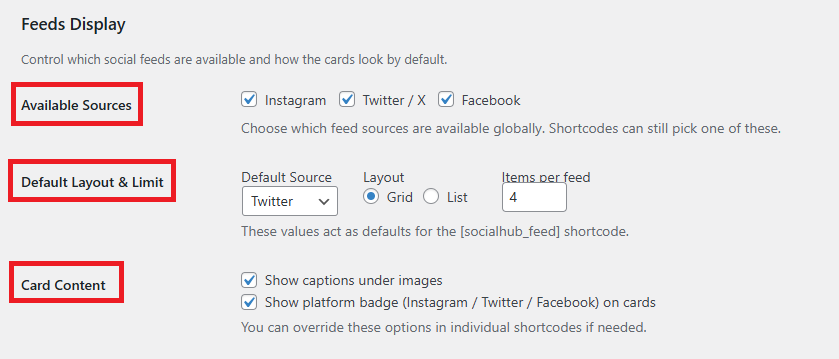
Feed Layouts –
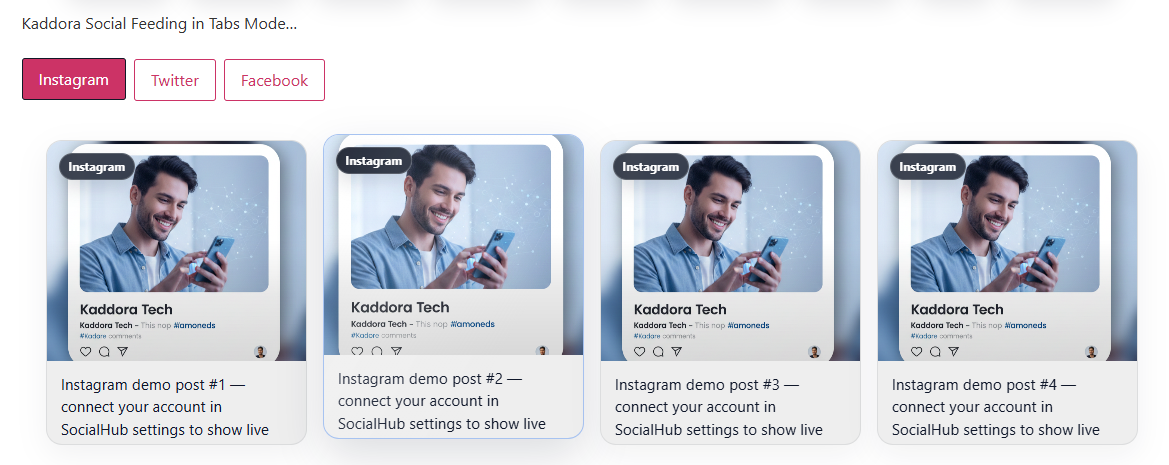
- Grid layout (modern cards)
- List layout
- Tabs mode (multiple platforms in one feed)
Feed Controls –
- Items per feed
- Show / hide captions
- Show / hide platform badges
- Default source selection
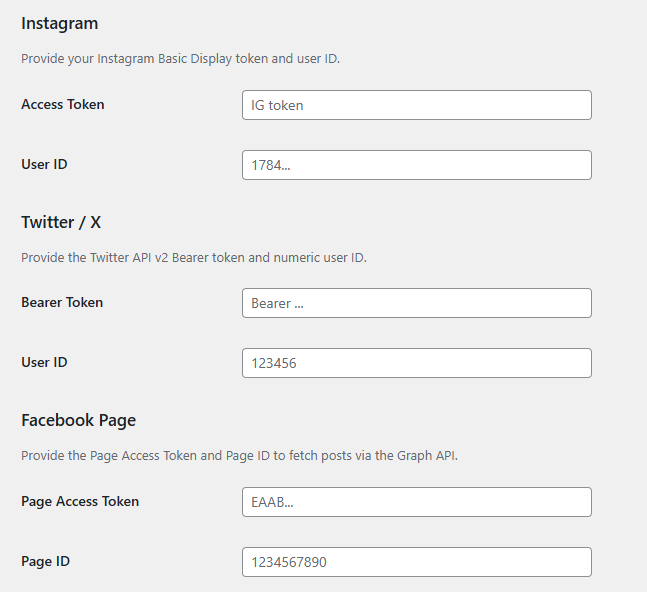
🪂 Live & Real Social Feeding – You can add your Live & Real Social Platforms Feeding by using Access Token and User ID, some social platforms provide free tokens for feeding and some takes charges so It’s up to you whatever you choose for Social Feeding.
- We are providing all mechanism for Live and Real Social Feeding, add your social platforms Tokens and ID for using this features-
🚨 Demo / Testing Mode (No Tokens) – If API tokens are not configured:
- SocialHub can show demo feed content
- Useful for: Theme previews, Development, Testing layouts (Enable demo mode from plugin settings or via filter).
7. Customization Options 🪼
- Icon pack selection per platform
- Button size adapts automatically
- Responsive layouts (mobile/tablet/desktop)
- Hover animations
- Shadow effects
- Modern spacing and alignment
8. Shortcodes Guide 🎯
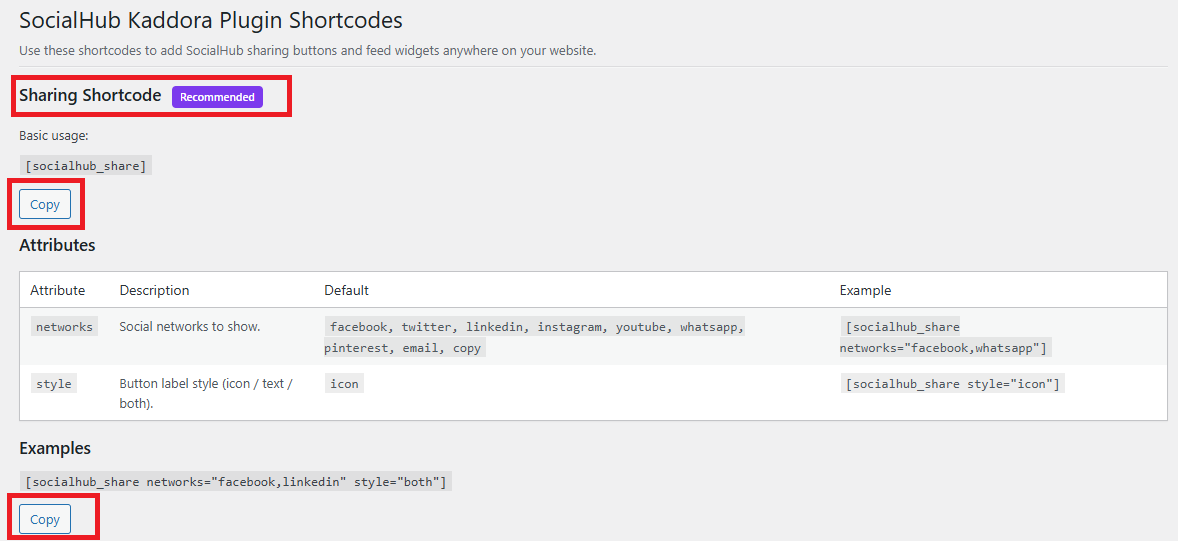
Social Sharing Shortcode – we are providing copy to clipboard option for choosing the shortcode types, you can also customize attributes for shortcode options.
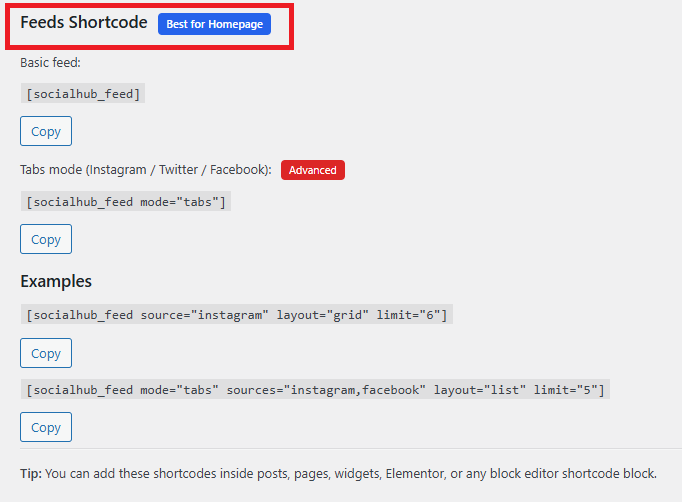
Social Feed Shortcode – Here you can choose you Social Feeding Shortcodes.
9. Performance & Caching ↗️
- Uses WordPress Transients API
- Cached API responses reduce load
- Manual Clear Cache button available
- Cache auto-refreshes after expiry
10. Troubleshooting 🔱
Sharing Buttons Not Showing?
- ☑️ Check Enable Sharing is ON
- ☑️ Confirm selected platforms
- ☑️ Clear cache
Feeds Not Loading?
- ☑️ Check API tokens & IDs
- ☑️ Ensure cache duration is valid
- ☑️ Try demo mode
Copy Button Not Working?
- ☑️Site must be HTTPS
- ☑️ Modern browsers recommended
11. FAQ 🌐
Q: Can I use both sharing and feeds together?
Yes, SocialHub supports both independently or together.
Q: Can I override settings in shortcodes?
Yes, shortcode attributes override global settings.
Q: Does it work with Elementor?
Yes, use the Shortcode widget.
12. Support & Updates 🚒
- Regular updates with new features
- Clean and maintainable code
- Future roadmap includes:
➡️ More feed layouts
➡️ More icon packs
➡️ Analytics integration
➡️ Block editor native blocks
Thank you for connecting Kaddora Tech ❤️